Photometric data quality directly impacts whether your lighting specs work as intended on site. Poor data leads to mismatched expectations, budget overruns, and performance failures that contractors and installers discover too late.
At OpenLumen, we’ve seen how inconsistent or incomplete luminaire information creates real problems across projects. This guide shows you how to identify data issues and build a verification process that keeps your specs reliable.
What Photometric Data Actually Tells You
The Language Between Intent and Reality
Photometric data is the technical language between what a luminaire is supposed to do and what it actually does on site. It quantifies light distribution, intensity, coverage area, and how brightness changes with distance. Lumens measure total light output-a 100-watt incandescent bulb produces roughly 1,200 to 1,500 lumens-while candela represents intensity in a specific direction. Lux measures illuminance per unit area; 1,000 lumens spread across 1 square meter yields 1,000 lux, but the same light on 10 square meters yields only 100 lux. Foot-candles work similarly, quantifying surface illuminance based on luminaire direction, distance, and angle.
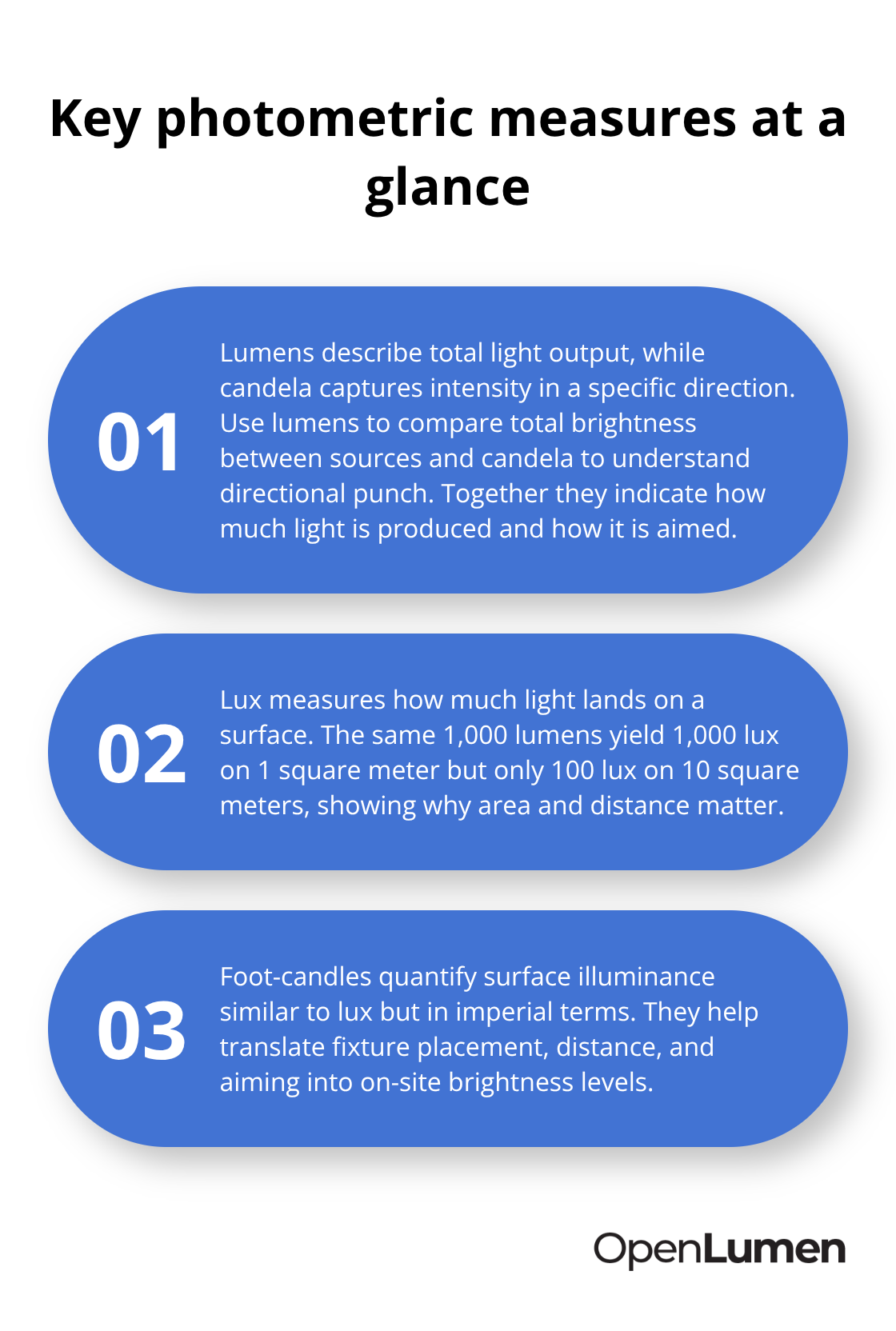
Candelas per square meter measure luminance leaving a surface, directly tied to perceived brightness and occupant comfort. Beam spread describes how wide the light beam is, beam aiming diagrams show optimal fixture placement, and polar charts visualize intensity at various angles. Cutoff angles determine where brightness ceases to be visible, with deep cutoff optics reducing glare. This data-when accurate-prevents over-lighting and under-lighting, improves energy efficiency, ensures compliance with building codes, and supports occupant well-being.
Why Data Quality Fails in Practice
The problem is that much of this data circulating through design tools and libraries contains significant errors. The Light Review, a lighting research publication, found that many LDT and IES files contain problematic gaps in testing and training, creating a gap between design intent and actual photometric performance. Stray light in goniophotometer measurements-light leaking from walls, ceilings, or the instrument itself-artificially inflates lumen output and distorts glare metrics. A luminaire may appear compliant in calculations but cause uncomfortable glare when installed.
Missing or incorrect physical dimensions in photometric files derail layouts and create BIM clashes with sprinklers and ducts; IES data typically covers only luminous dimensions, not physical silhouettes. Asymmetrical photometric data that doesn’t reflect average production can cause mispredictions in light distribution, creating shadows or hotspots that surprise installers. File naming inconsistencies-mismatches between catalogue numbers and data file names-slow workflows because design software displays only about 40 characters, forcing teams to hunt for the correct luminaire.
The Real Cost of Flawed Data
These issues aren’t minor. They directly affect whether UGR glare compliance calculations are valid, whether LENI energy metrics are accurate, and whether your net-zero 2050 goals are achievable. When contractors arrive on site with specs built on flawed data, they face impossible choices: install equipment that doesn’t perform as specified or request change orders that blow budgets and timelines. Understanding where these problems originate helps you spot them before they damage your project.
Where Photometric Data Goes Wrong
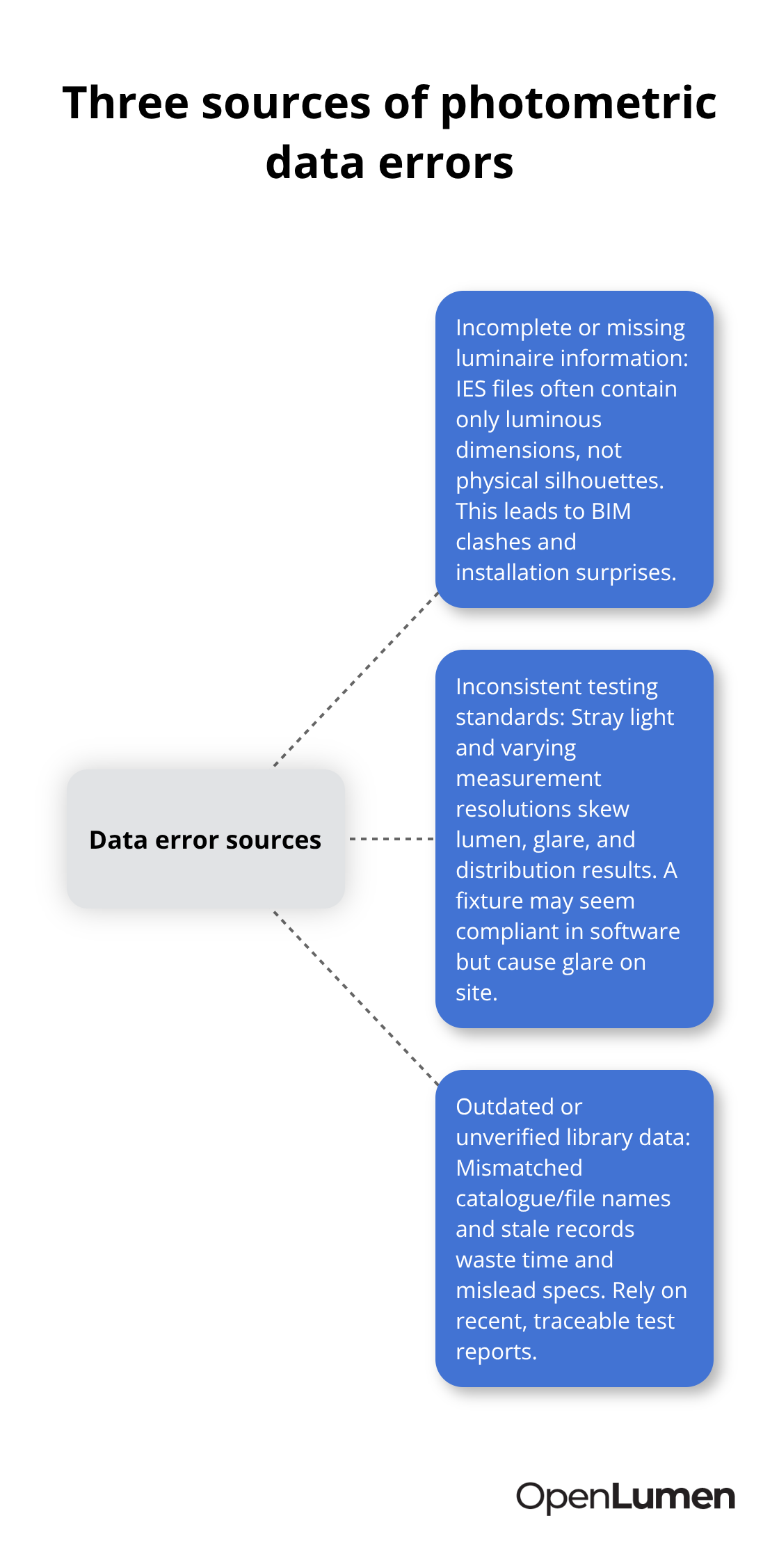
Photometric data problems originate from three distinct sources, and understanding where they come from helps you spot them before they reach your specs.
Incomplete or Missing Luminaire Information
The first issue is incomplete or missing luminaire information in the files themselves. Many manufacturers test their luminaires under controlled lab conditions but fail to include critical physical dimensions-the actual size and shape of the fixture-in their IES files. IES data typically captures only luminous dimensions, not the physical silhouette, which means designers cannot accurately predict whether a luminaire will clash with sprinklers, HVAC ducts, or other building systems.
When a luminaire’s luminous height is listed as zero in an IES file, it becomes invisible in certain layout perspectives, creating surprises during installation.
The Light Review found that incorrect or missing physical dimensions derail BIM workflows and cause costly coordination problems on site. To counter this, use LDT files instead of IES whenever possible, since LDT format combines both physical and luminous dimensions in a single dataset. Verify dimensions against the manufacturer’s physical product before finalizing your spec.
Inconsistent Testing Standards Across Manufacturers
The second source of problems is inconsistent testing standards across manufacturers and labs. A 100-watt fixture tested in one lab may show different lumen output, beam spread, or glare metrics when tested in another because stray light-light leaking from walls, ceilings, or the measurement instrument itself-artificially inflates results. The Light Review documented that stray uplight in goniophotometer measurements can yield falsely better glare ratings, meaning a luminaire appears compliant in your calculations but causes uncomfortable glare when installed.
Target stray light levels should stay below 0.02 percent at 220 nanometers for high-performance instruments, yet many testing labs do not prioritize this control or do not report it. Additionally, photometric data detail varies wildly: some labs use 1-degree elevation steps and 5-degree horizontal steps, while others use coarser or finer resolution without clear justification. Asymmetrical data that does not reflect average production across a batch can cause mispredictions in light distribution, creating shadows or hotspots that installers discover too late.
Outdated or Unverified Library Data
The third source involves outdated or unverified library data. File naming inconsistencies create real friction-when catalogue numbers do not match data file names, design software displays only about 40 characters, forcing teams to hunt for the correct luminaire and wasting hours. Many libraries circulate old photometric files without re-testing, meaning data reflects products that no longer match current production.
Request manufacturer test reports dated within the last two years, and verify that the luminaire model in your spec matches exactly the model number in the photometric file. Standardizing data naming across your projects and requiring traceability to lab test dates prevents these delays from compounding across multiple projects. These three sources of error-missing dimensions, inconsistent testing, and outdated files-stack on top of each other, which is why a systematic verification process becomes your most effective defense.
How to Build a Data Verification Workflow
Request Test Reports Before You Specify
Start with manufacturer test reports directly before you specify any luminaire. Do not accept photometric data without a test date-demand reports dated within the last two years. Many distributors and manufacturers circulate library data without re-testing, meaning the files reflect products that no longer match current production. When you contact a manufacturer, ask specifically whether the luminaire in your spec matches exactly the model number in the photometric file, and request confirmation that stray light testing was performed and documented below 0.02 percent. If a manufacturer cannot provide this level of detail, that is a red flag. You are not being difficult; you are protecting your project from the three sources of error that The Light Review documented across the industry.
Verify Physical and Luminous Dimensions
Check the physical dimensions in the photometric file against the manufacturer’s product sheet-verify that both physical silhouette and luminous dimensions are present. If the file lists luminous height as zero or omits physical size entirely, request an LDT file instead of IES, since LDT format combines both datasets. Verify that the catalogue number in the file name matches exactly what you are specifying; mismatches waste hours during design and coordination. This verification step takes 15 to 30 minutes per luminaire but eliminates the costly surprises that arrive on site.
Create a Standardized Review Checklist
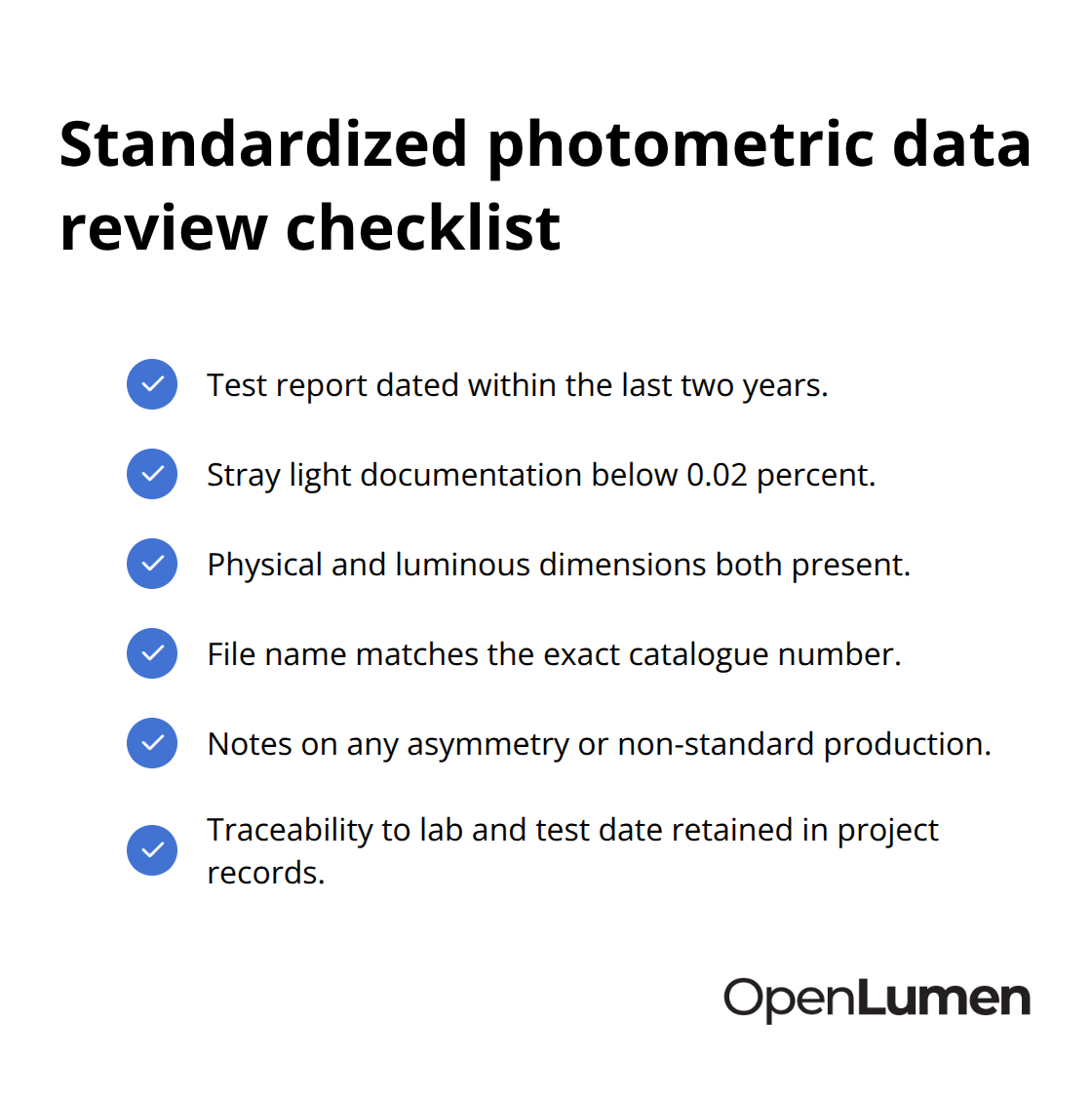
Build a standardized data review process into your workflow before finalizing any spec. Create a simple checklist: test date within two years, stray light documentation below 0.02 percent, physical and luminous dimensions both present, file name matching catalogue number, and asymmetry notes if the data reflects non-standard production. Share this checklist with your team and your contractors so everyone understands what constitutes reliable data. When you find a luminaire with incomplete or questionable data, flag it and select an alternative-do not compromise on this step.
Identify Reliable Manufacturers and Labs
Over time, you will discover which manufacturers and testing labs provide consistently accurate data, and you can prioritize those sources. Document your verification decisions and share them across your organization so other team members benefit from your due diligence. This practice compounds: after three to five projects, your team will have built a reliable core of pre-verified luminaires that you can reuse with confidence, cutting verification time and improving consistency across all future specs. A platform like OpenLumen offers a community-verified luminaires library that consolidates vetted photometric data with both physical and luminous dimensions pre-loaded, eliminating manual verification for thousands of fixtures and reducing your data quality risk substantially.
Conclusion
Photometric data quality directly determines whether your specs perform as intended, whether your team avoids costly site surprises, and whether your energy and glare compliance calculations hold up under scrutiny. The three sources of error-incomplete dimensions, inconsistent testing standards, and outdated library files-are preventable once you identify them. Request test reports dated within the last two years, verify that physical and luminous dimensions both appear in the file, check file names against catalogue numbers, and flag any luminaire with missing stray light documentation.
Building this verification process into your workflow takes minimal time upfront but eliminates the budget overruns and installation delays that poor data creates downstream. After three to five projects, your team will have a reliable core of pre-verified luminaires that you can reuse with confidence, cutting verification time significantly. Higher quality specs mean contractors arrive on site with accurate expectations, BIM coordination happens without clashes, and your glare and energy calculations reflect reality.
Standardize your verification checklist across your organization and share it with your contractors so everyone understands what constitutes reliable data. Document which manufacturers and labs consistently deliver accurate photometric files, and build that knowledge into your team’s decision-making. OpenLumen streamlines this process by offering a community-verified luminaires library with both physical and luminous dimensions pre-loaded, eliminating manual verification for thousands of fixtures and reducing your photometric data quality risk substantially.
The information provided is for general educational purposes only and should not be considered professional engineering or lighting design advice. Always verify project requirements, local codes, and specifications with qualified professionals before making final decisions.