Poor office lighting drains productivity and damages employee health. Dim spaces cause eye strain and headaches, while harsh fluorescent bulbs disrupt sleep cycles and mood.
At OpenLumen, we’ve seen firsthand how the right office lighting guidelines transform workplaces. Better illumination, proper color temperature, and reduced glare boost focus, energy, and well-being-often cutting energy costs by 20-30% at the same time.
Why Poor Lighting Kills Productivity and Health
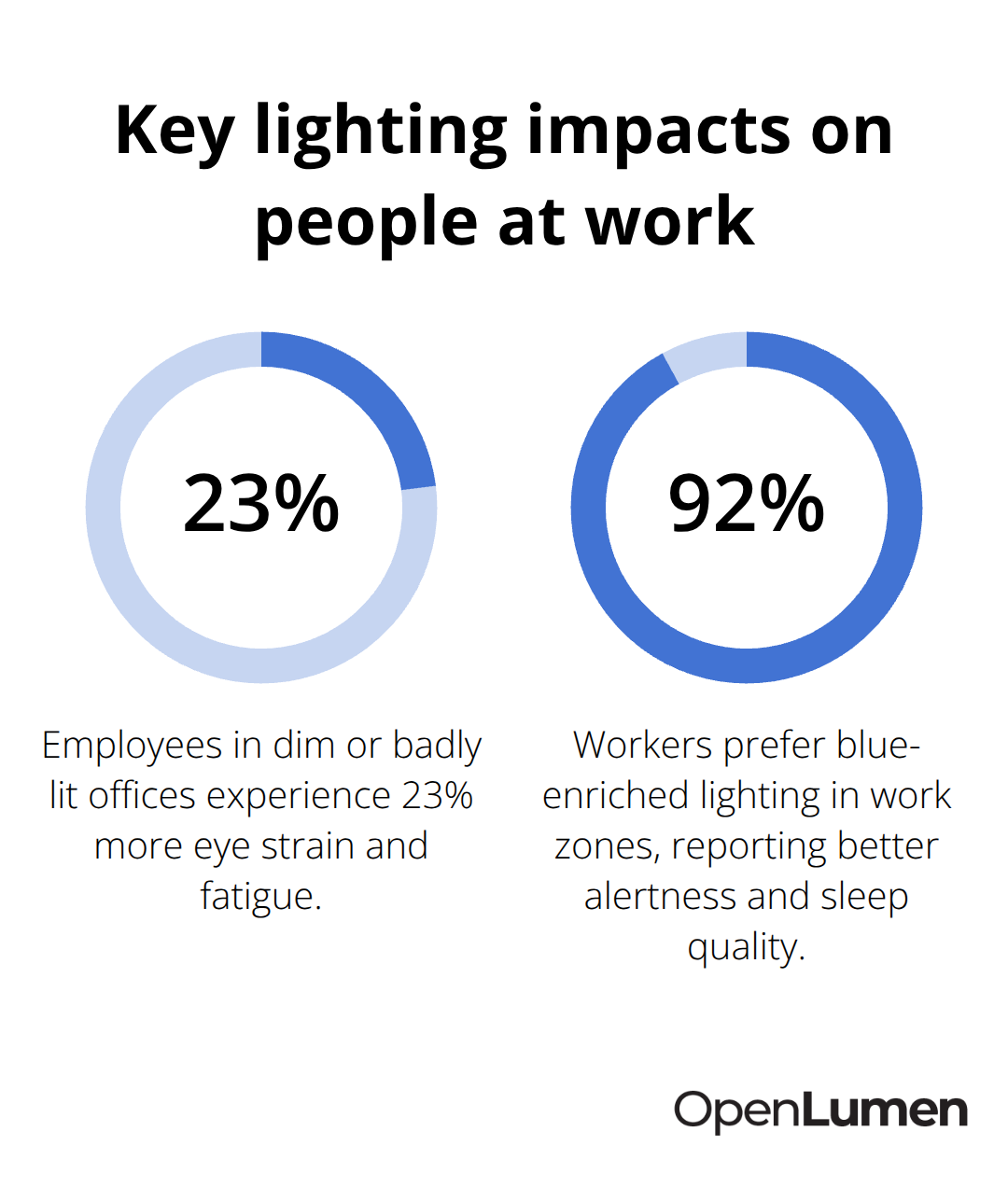
Poor lighting doesn’t just create discomfort-it damages measurable business outcomes. Employees in dim or badly lit offices experience 23% more eye strain and fatigue, according to research tracking workplace conditions. Headaches increase, concentration drops, and sick days climb. Harsh fluorescent lighting makes things worse by triggering migraines and disrupting sleep patterns, which spill into the next workday and compound the problem.
The U.S. Department of Energy reports that switching to optimized LED lighting with proper distribution cuts energy use by 50–80%, but the real win is what happens to your team. Employees working under consistent, glare-free illumination at 500 lux show measurably higher focus and fewer errors on detail-oriented tasks compared to those in underlit or harshly lit spaces.
Light Quality Shapes Your Team’s Energy and Sleep
Color temperature directly controls alertness and rest cycles. Cooler light around 4,000–5,000K during work hours signals your brain to stay alert and focused-this is critical for morning and midday productivity. Warm light at 2,700–3,500K in break areas and late afternoon helps your body wind down, which matters because poor evening lighting keeps employees wired and damages sleep quality, leading to fatigue the next day. A University of Surrey study found that 92% of participants preferred blue-enriched lighting in work zones, with measurably better alertness and improved sleep patterns. Tunable lighting that shifts from cool to warm through the day mirrors natural rhythms and outperforms static lighting installations every time.
The Numbers Behind Lighting Investments
Optimized office lighting typically costs 15–25% less to operate annually than standard installations, and that payback accelerates with rebate programs. Federal Section 179D deductions cover up to $1.88 per square foot for energy-efficient lighting upgrades, and state programs like Oncor rebates in Texas further reduce your out-of-pocket costs. A typical LED retrofit with controls and rebates achieves payback in under three years. Proper lighting reduces employee turnover, cuts absenteeism tied to migraines and sleep disruption, and boosts output on cognitively demanding work. The combined effect-lower operating costs plus higher productivity-makes lighting investment one of the fastest returns in facility upgrades.
Now that you understand the business case for better lighting, the next step is learning what standards and measurements actually guide effective office design.
What Illuminance and Color Temperature Levels Your Office Spaces Actually Need
Illuminance Standards That Protect Eyes and Boost Output
Office lighting standards exist for a reason: they prevent eye strain, protect safety, and maximize productivity. OSHA sets a baseline minimum of 30 foot-candles for offices, but that’s the floor, not the target. The Illuminating Engineering Society recommends 30–50 foot-candles for typical office areas, which converts to roughly 300–500 lux. However, workstations where employees perform detail-oriented tasks demand higher illumination-target 500 lux at desk height and screen level to eliminate shadows and reduce eye fatigue. Conference rooms need less intensity, around 300–500 lux, since tasks there are typically less visually demanding. Break areas and lounges work best at 200–300 lux with warm lighting to encourage rest and recovery.
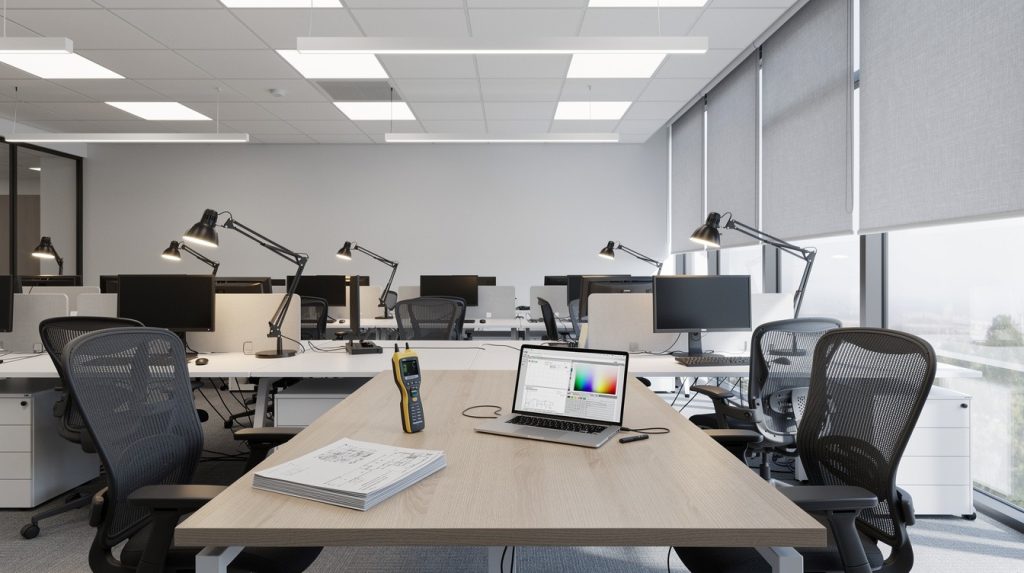
The critical error most offices make is treating the entire space with uniform lighting. Instead, layer your approach: ambient lighting provides foundational brightness, task lighting at individual desks fills gaps, and accent lighting adds depth and visual interest. Measure your current conditions with a lux meter at typical work heights during normal hours-this reveals where you’re underlit or, conversely, where harsh over-lighting causes glare.
Color Temperature Controls Alertness and Sleep Quality
Color temperature determines whether your team stays sharp or winds down, and this matters far more than most facility managers realize. During work hours, 4,000–5,000K (cool, daylight-like tones) keeps employees alert and focused. This range energizes the brain and supports concentration on complex tasks. Shift to 2,700–3,500K (warm, amber tones) in break areas and late afternoon to help bodies prepare for rest and prevent sleep disruption at night.
The University of Surrey study showing 92% preference for blue-enriched work lighting wasn’t about aesthetics-it was about measurable alertness and better sleep quality afterward. Tunable lighting that shifts from cool to warm through the day mirrors natural rhythms and outperforms static lighting installations every time.
Eliminate Flicker and Glare to Protect Comfort
Flicker and glare are the silent killers of office comfort. Modern LED fixtures with high color rendering index (CRI 80 or higher) eliminate the flicker that plagued older fluorescent systems and caused migraines. Position fixtures parallel to your line of sight and computer screens to avoid direct reflections. Indirect lighting that bounces off walls and ceilings reduces harsh brightness.
Try for a Unified Glare Rating of 19 or lower-this technical measure predicts visual comfort. Control surface reflectance: ceilings at 70–90%, walls at 50–80%, and floors at 20–40% help distribute light evenly without creating bright spots that strain eyes. Smart controls and dimmer switches let occupants adjust brightness to their task and preference, which research shows reduces stress and improves performance in open-plan offices where lighting needs vary throughout the day.
Layered Lighting Design Adapts to Real Work Patterns
A balanced design combines ambient, task, and accent lighting to support a range of activities and times of day. Ambient lighting forms the foundation, task lighting at individual desks fills gaps and eliminates shadows, and accent lighting adds visual interest without creating hotspots. This layered approach (sometimes called the three-tier system) lets you meet diverse needs across workstations, meeting rooms, and break areas without over-lighting or under-lighting any zone.
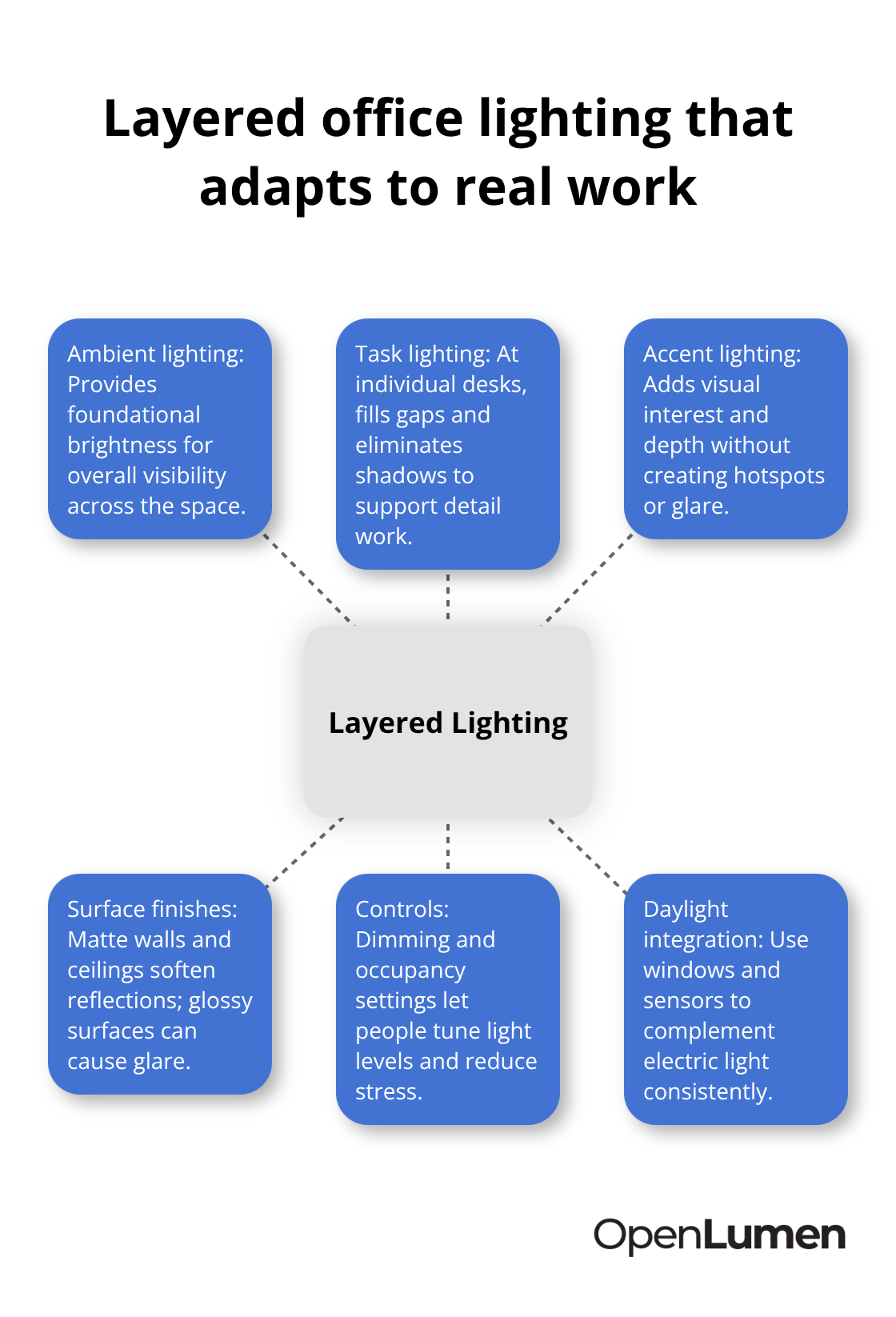
Surface finishes matter as much as fixture selection. Matte finishes on walls and ceilings soften reflections and reduce contrast, while glossy surfaces bounce light unpredictably and create glare. The combination of proper fixture placement, surface treatment, and occupant controls creates an environment where lighting fades into the background and supports focus rather than distracting from it.
Now that you understand what standards and measurements guide effective office design, the next step is learning how to assess your current space and implement these principles in practice.
Practical Steps to Assess and Improve Your Office Lighting
Measure Your Space Before Making Changes
Start with a lux meter-not guesswork. Measure illuminance at desk height and screen level during typical work hours across multiple zones: workstations, conference rooms, break areas, and corridors. Record readings at several points in each zone to spot inconsistencies. A space that reads 250 lux at one desk and 450 lux at another signals poor distribution, not adequate coverage. OSHA’s minimum of 30 foot-candles translates to roughly 300 lux, but your workstations should hit 500 lux for detail work.
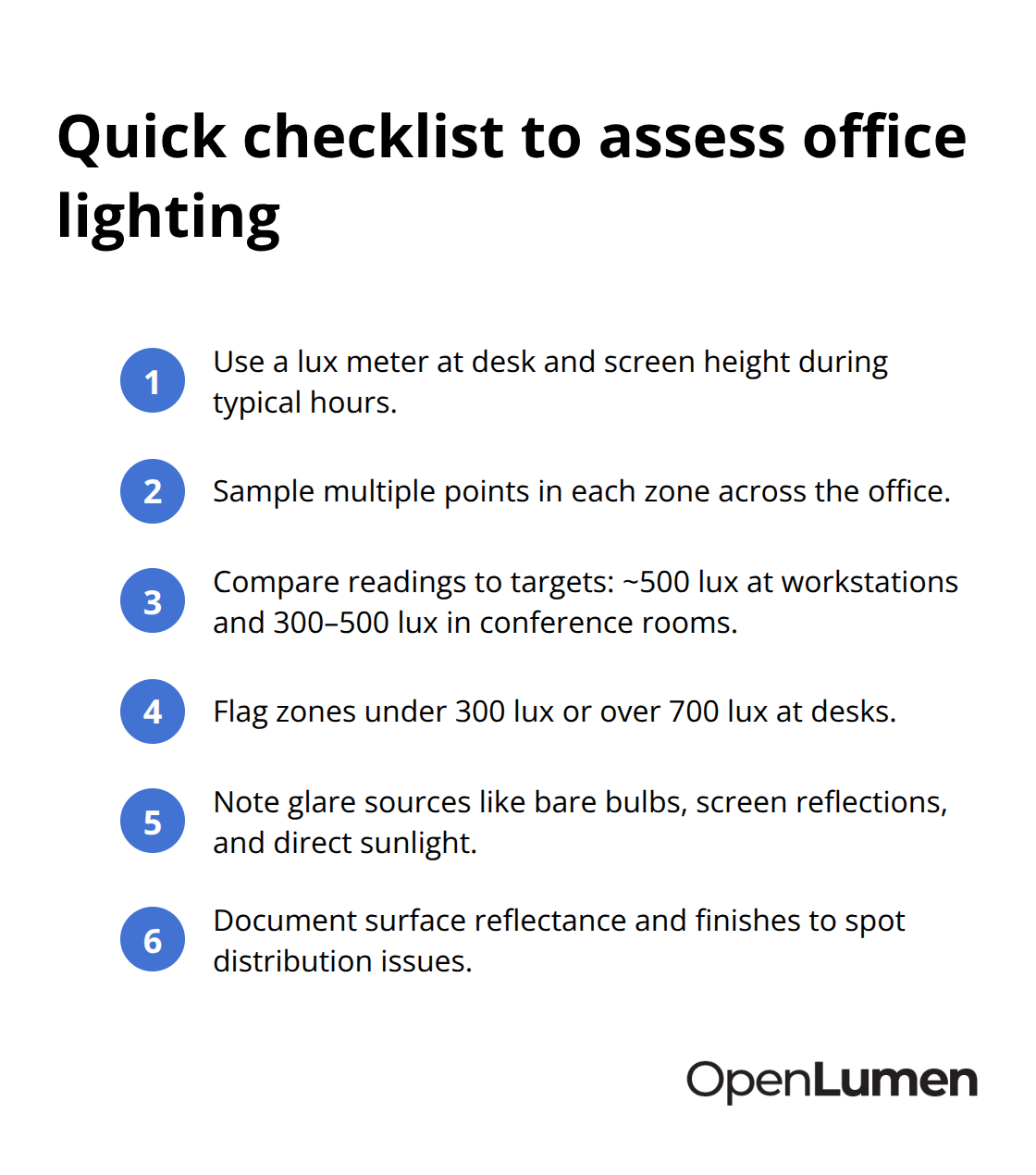
If your measurements fall short, you need more light or better placement. If they exceed 700 lux at desk level without task lighting, you likely have over-lighting that causes glare and wastes energy.
Document surface conditions too: note ceiling reflectance (try for 70–90%), wall color and finish (50–80% reflectance, matte preferred), and floor materials. Glossy surfaces bounce light unpredictably and create hotspots; matte finishes distribute light more evenly. Check for glare sources-direct sunlight on screens, bare bulbs visible from seating areas, or harsh shadows cast by poor fixture placement. This assessment takes two hours and reveals exactly what needs to change before you spend money on new fixtures.
Select Fixtures That Eliminate Flicker and Shadows
LED fixtures with CRI 80 or higher outperform older fluorescent systems because they eliminate flicker, last 25,000–50,000 hours, and cut energy use by 50–80% compared to incandescent or standard fluorescent, according to the U.S. Department of Energy. Position overhead ambient lighting parallel to your line of sight and computer screens to avoid direct reflections on displays. Indirect fixtures that bounce light off ceilings reduce harsh brightness and create softer, more comfortable illumination.
At workstations, pair ambient overhead light with task lighting at individual desks to eliminate shadows and let employees control their own brightness. This layered approach prevents the dark spots that cause eye strain and fatigue. Modern LED systems with dimmer switches and occupancy controls adapt to actual work patterns throughout the day, which research shows reduces stress and improves performance in open-plan offices where lighting needs vary constantly.
Integrate Daylight Without Creating Glare
Daylight matters, but only if managed correctly. North-facing windows provide stable, indirect light without glare; east and west exposures need vertical blinds to block harsh morning and afternoon sun. Position workstations perpendicular to windows so daylight hits screens at a right angle, not directly. This simple adjustment prevents screen reflections that force employees to squint and strain their eyes.
Install daylight harvesting sensors that automatically dim artificial lights when natural light rises, maintaining consistent 500 lux at desks while cutting energy costs by 30–60% versus static systems. These sensors detect changes in natural illumination and adjust LED output in real time, so your space stays comfortable without manual intervention. The combination of measured assessment, strategic fixture placement, and smart daylight integration eliminates guesswork and delivers both comfort and measurable savings.
Conclusion
Effective office lighting guidelines rest on three core principles: measure your space accurately, select fixtures that eliminate flicker and shadows, and integrate daylight strategically. When you apply these practices together-targeting 500 lux at workstations, using 4,000–5,000K color temperature during work hours, and layering ambient, task, and accent lighting-you create environments where employees focus better, feel more energized, and experience fewer headaches and sleep disruptions. The payoff extends beyond comfort: optimized lighting cuts energy costs by 50–80%, reduces absenteeism, and typically achieves payback in under three years when combined with rebate programs.
Implementing these changes requires solid assessment and smart design tools that remove uncertainty. At OpenLumen, we built a free, browser-based platform that lets contractors, distributors, and facility owners create photometric layouts, run real-time illuminance analysis, and generate professional reports without expensive software or steep learning curves. The platform includes a community-verified luminaires library and instant access to photometric metrics-polar charts, BUG ratings, and zonal lumens-so you validate designs before ordering fixtures.
Start with a lux meter to measure your current conditions, document surface reflectance, and identify glare sources. Then use OpenLumen to model your space with LED fixtures that match your actual needs. The combination of solid assessment and smart design tools delivers lighting that works for your team and your budget.
The information provided is for general educational purposes only and should not be considered professional engineering or lighting design advice. Always verify project requirements, local codes, and specifications with qualified professionals before making final decisions.