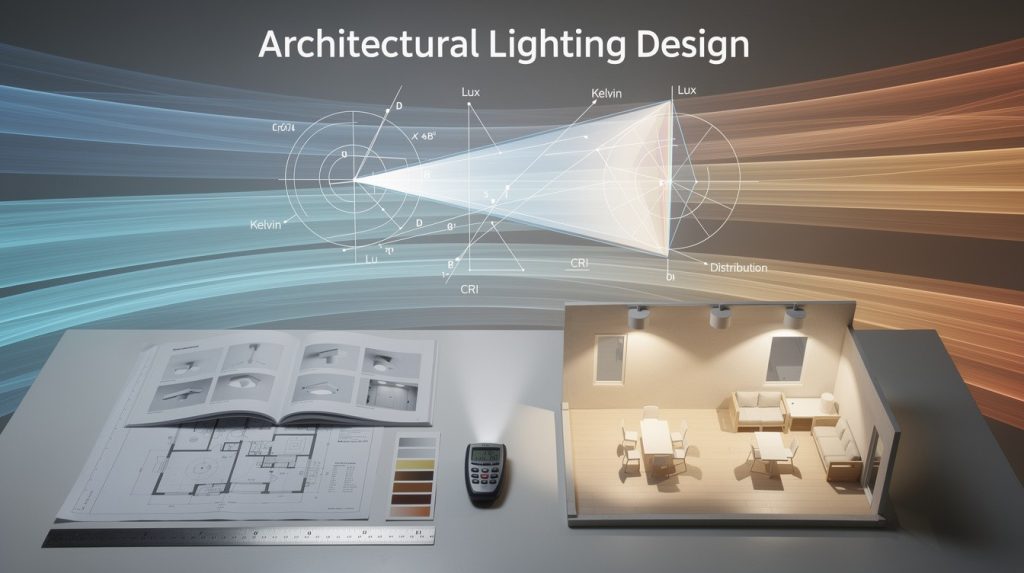
Photometric data file formats are the backbone of modern lighting design. They tell your software exactly how a fixture distributes light, and choosing the wrong format can derail your entire project.
At OpenLumen, we’ve seen countless designers waste hours troubleshooting compatibility issues that could have been prevented with the right format knowledge. This guide cuts through the confusion and shows you what actually matters.
What Photometric Files Actually Contain
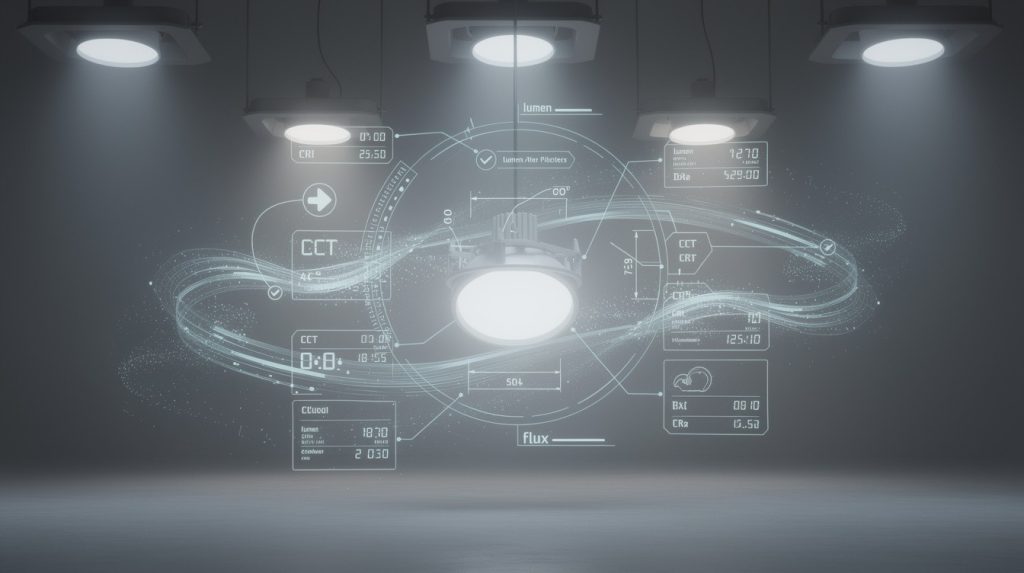
Photometric data files record how a luminaire distributes light across hundreds of angles. The file captures two essential measurements: total luminous flux in lumens and luminous intensity in candela for each direction. A goniophotometer rotates the fixture in a dark room and measures light output at roughly 855 angles, recording the electrical input in watts alongside the optical data. This measurement happens once per product, and the resulting file becomes the definitive record of that fixture’s performance. Without this data, your design software has no way to calculate illuminance, uniformity, or whether your layout actually meets project requirements. The file format determines how this information gets stored, what additional details it can hold, and whether your design tools can read it at all.
Three formats dominate the industry
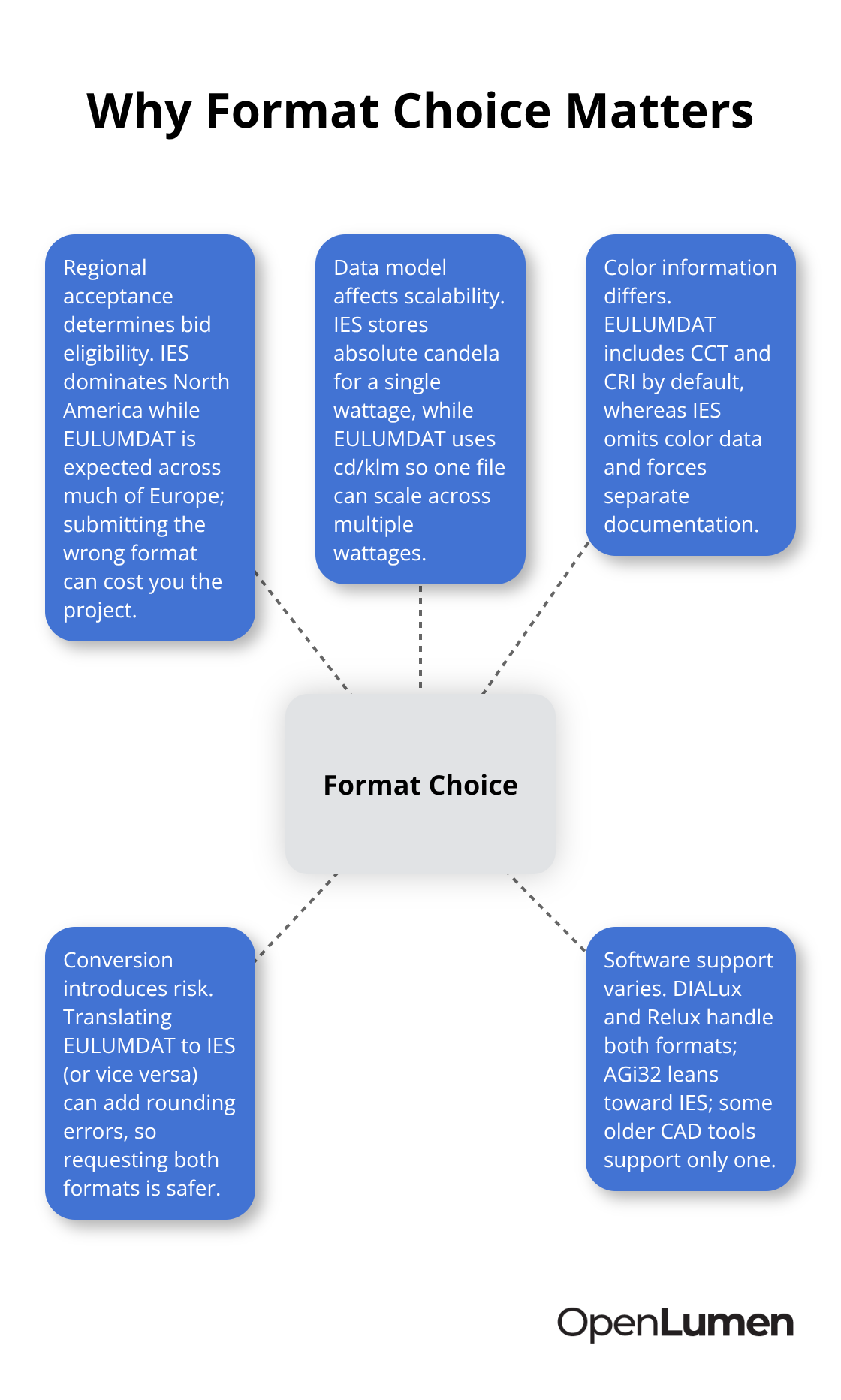
IES files hold the standard across North America, parts of Asia, and the Middle East. The Illuminating Engineering Society introduced IES in 1986 and updated it in 1995 and 2002. IES stores absolute candela values in ASCII text. EULUMDAT, the de facto European standard since around 1990, stores normalized candela per kilolumen instead, which makes it easy to scale the same optical design across different wattages. Both formats use 80-character line limits and small file sizes-a legacy of 1980s hardware constraints that persists today. IES files typically lack color temperature and color rendering data, while EULUMDAT files include these by default.
TM-14, introduced by CIBSE in 1988, exists but has never gained meaningful adoption.
Why format choice matters for your projects
The practical consequence hits hard: if you work in Europe and submit IES files only, you risk losing bids to specifiers who demand EULUMDAT. Conversely, EULUMDAT files in North America often frustrate contractors accustomed to IES workflows. Converting between formats introduces risk-multiplying cd/klm by actual lumens and dividing by 1000 requires precision, and errors compound through your entire layout calculation. This is why requesting both formats from manufacturers prevents headaches downstream.
Software compatibility shapes your workflow
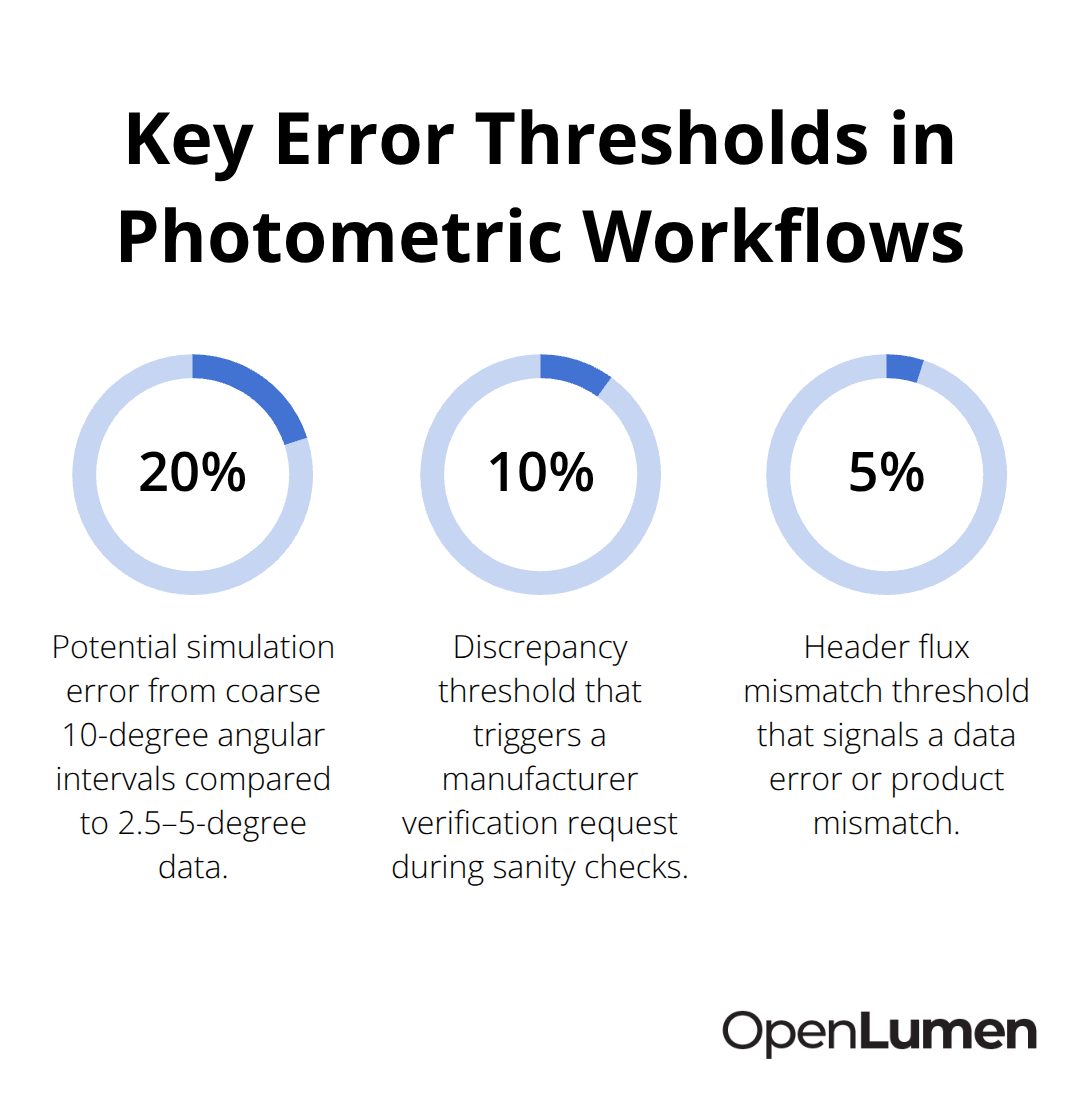
DIALux, Relux, and other platforms accept both IES and EULUMDAT, which gives you flexibility. AGi32 leans heavily toward IES. Older CAD integrations often support only one format. When you request photometric data from a manufacturer, specify both formats if possible. Include the wattage, color temperature, beam angle, optic type, lab name, test report number, and test date. Verify the measurement distance and geometry in the data file itself-coarse 10-degree intervals introduce 10 to 20 percent simulation errors compared to high-resolution 2.5 to 5-degree data.
LED data requires extra attention
For LED fixtures, always check the test date; photometric data becomes obsolete quickly when manufacturers change LED chips or optical components without updating their files. Request absolute photometry for lumen estimations, not relative data scaled per kilolumen, because thermal performance of bare LED lamps differs dramatically from the same chip mounted inside a luminaire. This detail alone explains why some designs overshoot illuminance targets by 15 to 30 percent. Understanding these distinctions between formats and data types prevents costly errors before installation begins-and sets you up to make smarter decisions when comparing fixtures across regions and manufacturers.
IES vs EULUMDAT: Which Format Actually Works for Your Region
IES and EULUMDAT are not interchangeable, and treating them as such costs money. IES files store absolute candela values, meaning each file represents one specific configuration at one specific wattage. EULUMDAT files store candela per kilolumen, which allows manufacturers to provide a single optical model that scales across different wattages. This difference sounds technical, but it has real consequences. If a manufacturer provides you with an IES file for a 50-watt version of a fixture, you cannot use that same file for the 100-watt version. You need a separate IES file for each power rating. With EULUMDAT, one file handles multiple wattages because the normalized data scales mathematically. For product lines with five or ten variants, EULUMDAT cuts your file management burden significantly.
Color Data and Regional Standards
EULUMDAT files include correlated color temperature and color rendering index by default, while IES files omit these entirely. This matters for color-critical projects where you need to verify that a fixture meets specific CCT and CRI targets. IES files force you to request color data separately or hunt through manufacturer spec sheets. In Europe, specifiers expect EULUMDAT as the standard; submitting only IES files limits your competitiveness. In North America, IES dominates, but the shift toward global projects means you increasingly need both formats.
Conversion Risks and Best Practices
Conversion between formats introduces error risk. Converting EULUMDAT to IES requires multiplying cd/klm by the actual lumen output and dividing by 1000-a calculation that demands precision. Rounding errors compound through illuminance calculations, especially for tight uniformity targets. The safer approach is requesting both formats directly from manufacturers rather than converting yourself.
Software Compatibility Across Platforms
DIALux and Relux support both IES and EULUMDAT natively, which eliminates format friction for most European and North American workflows. AGi32 prioritizes IES and handles EULUMDAT less reliably. Older CAD plugins sometimes lock into a single format, forcing you to work around limitations. When you select design software, verify its format support before committing to a platform. If you work across regions, dual-format support is not optional.
Data Quality and LED Considerations
Request both formats from every manufacturer. Specify wattage, color temperature, beam angle, optical type, lab name, test report number, and test date to ensure you receive data that matches your actual fixture. High-resolution data at 2.5 to 5-degree intervals beats coarse 10 to 15-degree spacing; the difference between accurate simulation and 10 to 20 percent calculation error often comes down to angular resolution. Always verify the test date on photometric files. LED data becomes outdated when manufacturers update chips or optics, yet many suppliers continue distributing old files without flagging the revision date. A file tested in 2022 for an LED luminaire is unreliable in 2026 if the LED module changed. Absolute photometric data matters more than relative data for lumen estimations. Relative data scaled per kilolumen works for optical comparisons, but thermal performance of a bare LED lamp differs from the same chip mounted inside a luminaire, potentially overstating actual output by 15 to 30 percent in real installations. Once you have the right files in hand, the next step is learning how to validate them before you trust them in your design calculations.
Validating and Using Photometric Files Correctly
Check the File Before You Import It
Import a photometric file into your design software, but validate it first in a text editor. Check the header fields for the manufacturer name, test report number, and test date. If the test date exceeds three years for an LED fixture, request fresh data; LED chips and optics change frequently, and old files overstate actual performance.
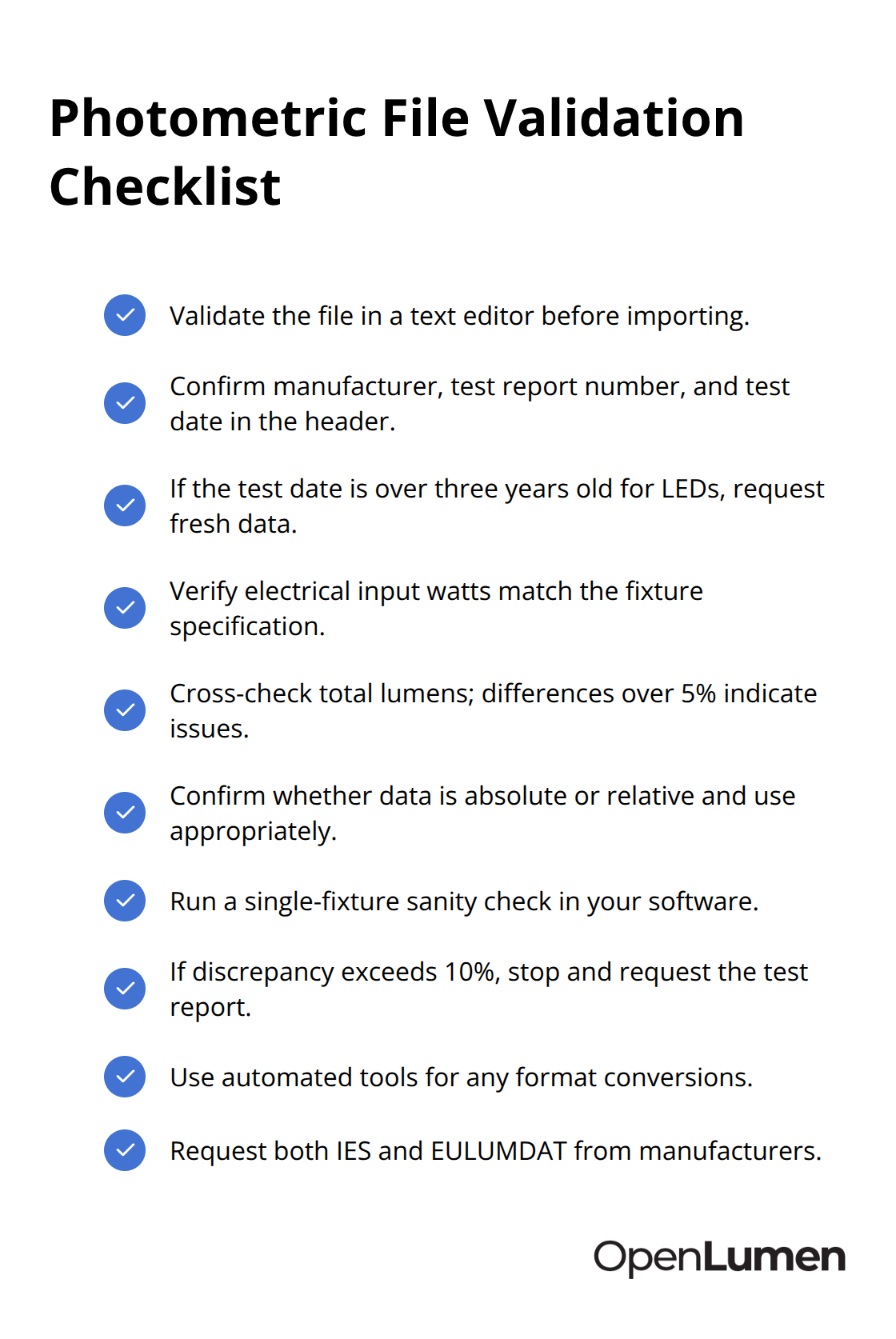
Verify the electrical input in watts matches your fixture specification. Check the total luminous flux value and cross-reference it against the manufacturer’s published lumen rating; a discrepancy larger than 5 percent signals either a data transcription error or a mismatch between the file and your actual product.
For LED luminaires, confirm whether the data is absolute (candela values representing the actual fixture output) or relative (candela per kilolumen that requires scaling). Absolute data is mandatory for lumen estimations and illuminance calculations. Relative data works for comparing optical distributions but fails for accurate output predictions, especially when thermal performance differs between a bare LED module and the same module mounted inside your luminaire-a gap that can inflate simulated output by 15 to 30 percent.
Run a Sanity Check in Your Design Software
Once you import the file into DIALux, Relux, or your design platform, create a single-fixture layout in an empty space and verify that the calculated illuminance at a reference distance aligns with published specifications. If you calculate 500 lux at 10 meters but the fixture spec claims 450 lux at that distance, the file is likely correct and minor variation is normal. If the discrepancy exceeds 10 percent, stop and request the test report from the manufacturer to verify measurement conditions.
Avoid Format Conversion Errors
Mistakes compound when you mix formats without attention to detail. Converting EULUMDAT files to IES requires multiplying normalized candela by actual lumens and dividing by 1000-a calculation that invites rounding errors, especially with large lumen counts. Use conversion software like DIALux or the Photometric Toolbox rather than manual spreadsheet conversions; automated tools handle precision better and flag incompatibilities.
Request Both Formats and Specify Details
When you request photometric data from manufacturers, ask for both IES and EULUMDAT formats simultaneously. Specify the exact wattage, color temperature, beam angle, optical type, lab name, test report number, and test date. Include angular resolution requirements: request 2.5-degree or 5-degree intervals minimum, never accept 10-degree or 15-degree spacing unless the fixture has an extremely wide beam where coarse resolution doesn’t matter. High-resolution data costs nothing extra and eliminates the 10 to 20 percent simulation errors that coarse intervals introduce.
Choose Software with Dual-Format Support
For regional projects, dual-format support in your software is non-negotiable. DIALux and Relux handle both formats reliably, so teams working across Europe and North America benefit from these platforms. AGi32 prioritizes IES, which works fine for North American-only projects but creates friction when European specifiers demand EULUMDAT compliance. If you discover mid-project that your chosen software doesn’t support EULUMDAT, you face error-prone conversions or tool switching. Test format import on sample files in any new software before you commit to a platform.
Final Thoughts
Photometric data file formats determine whether your design software reads your files, whether regional specifiers accept your submissions, and whether your calculated illuminance matches what gets installed. IES dominates North America, EULUMDAT dominates Europe, and requesting both formats from manufacturers eliminates friction across regions. Verify test dates on LED data, confirm absolute versus relative photometry, and validate files in a text editor before importing them into your design platform.
High-resolution angular data at 2.5 to 5-degree intervals prevents the 10 to 20 percent simulation errors that coarse spacing introduces. Choose design software with dual-format support if you work across multiple regions, and convert between formats only when necessary, using automated tools rather than manual calculations. Standardized photometric data file formats streamline your workflow by removing guesswork from fixture selection and layout validation.
When you have accurate, current photometric data in the right format for your region and software, you spend less time troubleshooting compatibility issues and more time designing layouts that meet project requirements. OpenLumen provides a free, browser-based platform where you can create illuminance analyses, access community-verified luminaires, and generate reports instantly.
The information provided is for general educational purposes only and should not be considered professional engineering or lighting design advice. Always verify project requirements, local codes, and specifications with qualified professionals before making final decisions.