Poor office lighting kills productivity. Employees working under harsh fluorescent glare or dim, mismatched light sources report higher fatigue, reduced focus, and more errors.
At OpenLumen, we’ve seen how the right office lighting layout transforms workspaces. Strategic illumination, proper color temperature, and thoughtful fixture placement directly impact how your team performs and feels throughout the day.
How Light Intensity, Color, and Placement Shape Daily Performance
Match Light Intensity to Task Demands
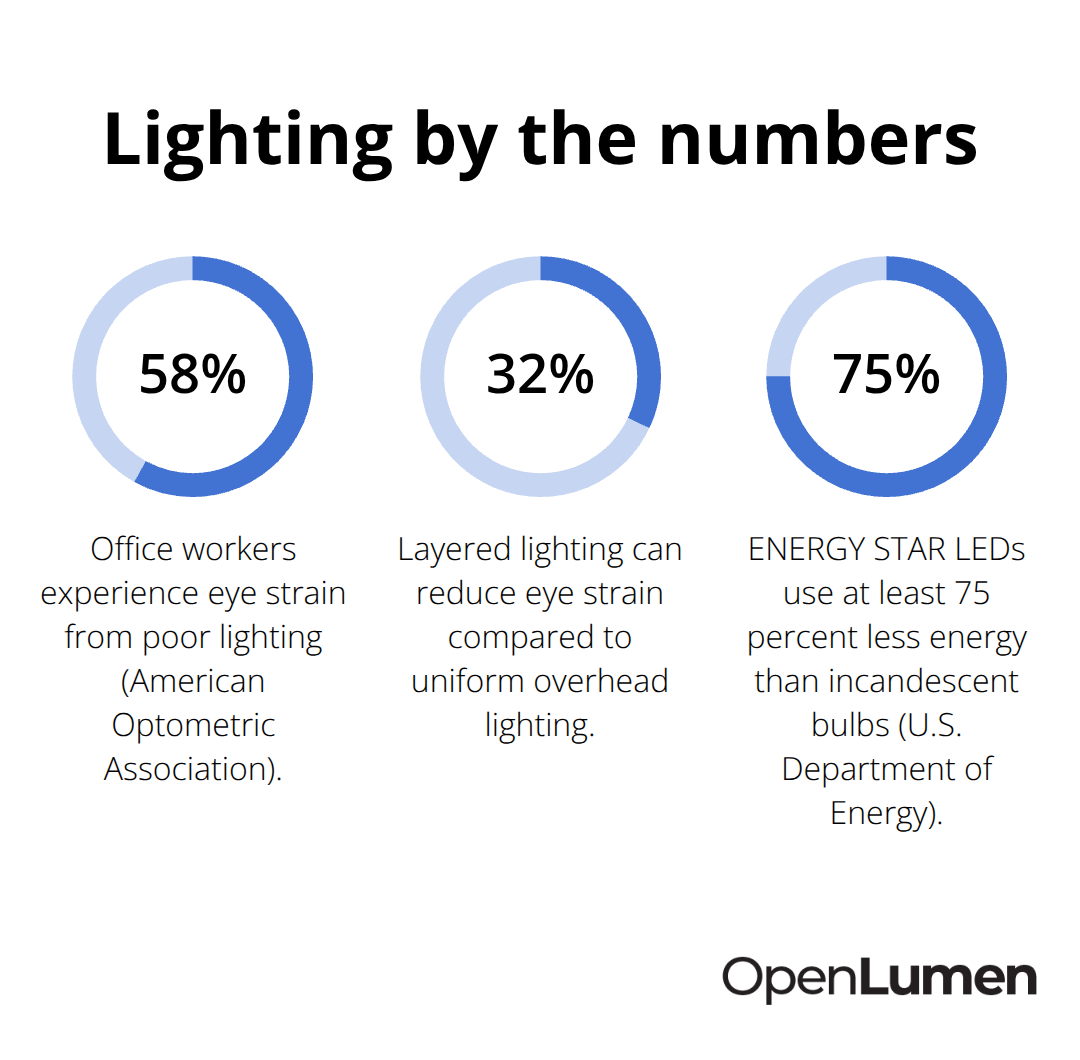
Light intensity directly controls whether your team stays alert or crashes mid-afternoon. The Illuminating Engineering Society recommends 300–500 lux for general office work, but detailed tasks like design or accounting require 750–1,000 lux. Too little light forces employees to squint, make mistakes, and feel drained. Too much harsh, direct light causes the opposite problem: glare fatigue and headaches that tank focus within hours. Most offices fail because they apply uniform lighting everywhere instead of matching intensity to what people actually do in each zone. A reception area does not need the same brightness as a CAD workstation. Undersizing your lighting system is one of the fastest ways to kill productivity-employees lean closer to screens, strain their eyes, and lose concentration by 2 p.m. The American Optometric Association reports that about 58% of office workers experience eye strain from poor lighting, so intensity matters more than most facility managers realize.
Use Color Temperature to Support Circadian Rhythms
Color temperature controls your circadian rhythm, and the wrong choice sabotages sleep and alertness. Cooler light around 5,000K to 6,500K boosts focus and keeps people sharp during task-heavy hours-research from the University of Greenwich shows blue-enriched light increases alertness while reducing perceived eye strain. Warmer light at 2,700K to 3,000K suits break rooms and collaborative spaces where you want people relaxed, not hyper-focused. Most offices mix temperatures across zones without intention, leaving employees confused and uncomfortable. This inconsistency undermines the benefits that proper color temperature can deliver.
Control Glare in Open-Plan Spaces
Open-plan spaces amplify eye strain because overhead light bounces off desks, screens, and surfaces, creating glare that no one can escape. Position computer screens perpendicular to windows and light sources to minimize reflection. Use indirect or diffused fixtures instead of harsh direct sources, and add anti-glare filters to reduce reflection further. A layered lighting approach-ambient light for general visibility, task lighting for individual workstations, and accent lighting for visual interest-cuts eye strain by up to 32% compared to uniform overhead lighting alone.
Adjust Brightness Throughout the Day
Dimmable fixtures let people adjust brightness to their task and time of day, which matters because morning tasks benefit from higher intensity while afternoon work often needs softer light to prevent fatigue. This flexibility prevents the energy crashes that rigid, one-size-fits-all lighting creates. Employees who control their own light levels report higher satisfaction and sustained focus.
With intensity, color, and glare management in place, the next step is to assess your existing natural light and design a layout that layers artificial sources strategically across different work zones.
Building Your Layout From Daylight and Fixtures
Start With Natural Light as Your Foundation
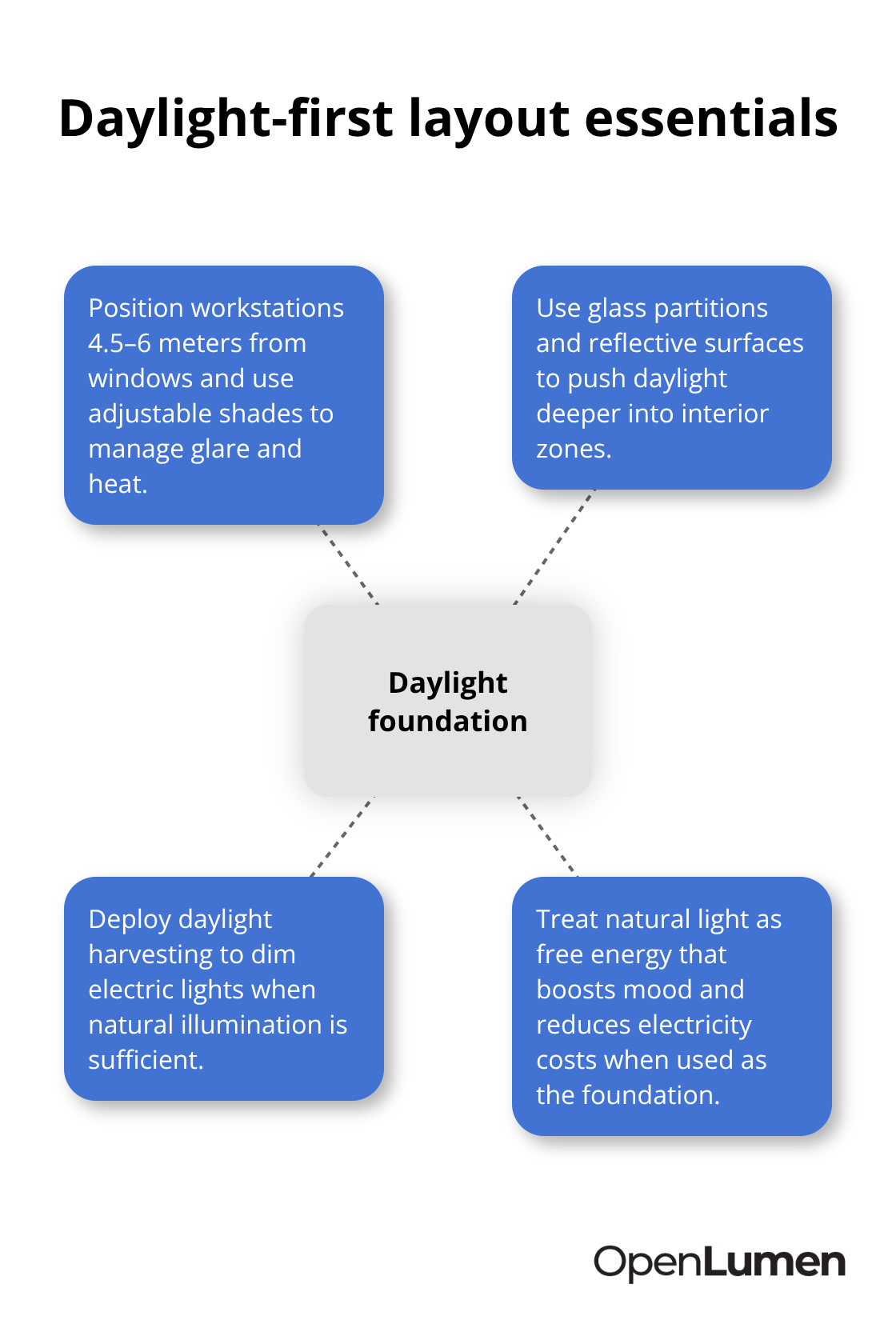
Natural light is free energy that improves mood and cuts electricity costs, yet most offices treat it as an afterthought rather than the foundation of their lighting strategy. Position workstations within 4.5 to 6 meters of windows to capture genuine daylight benefits, and use adjustable shades to control glare and heat without blocking light entirely. Glass partitions and reflective surfaces push daylight deeper into interior zones, reducing your reliance on artificial sources during peak daylight hours. Daylight harvesting systems automatically dim your electric lights when natural illumination is sufficient, creating seamless transitions that employees barely notice while cutting energy use substantially.
Layer Artificial Light by Task and Zone
In winter months or interior spaces far from windows, supplement with artificial light tuned to 4000K to 5000K for alertness and task focus. The Illuminating Engineering Society recommends 300 to 500 lux for general office work, scaling up to 750 to 1000 lux for detailed tasks. Rather than flooding your entire office with uniform overhead lighting, zone your fixtures by function. Reception areas and break rooms need less intensity than workstations or meeting rooms handling precise work. Conference rooms benefit from one-button lighting scenes that quickly adjust brightness, color temperature, and shades for virtual or in-person meetings without manual tweaking.
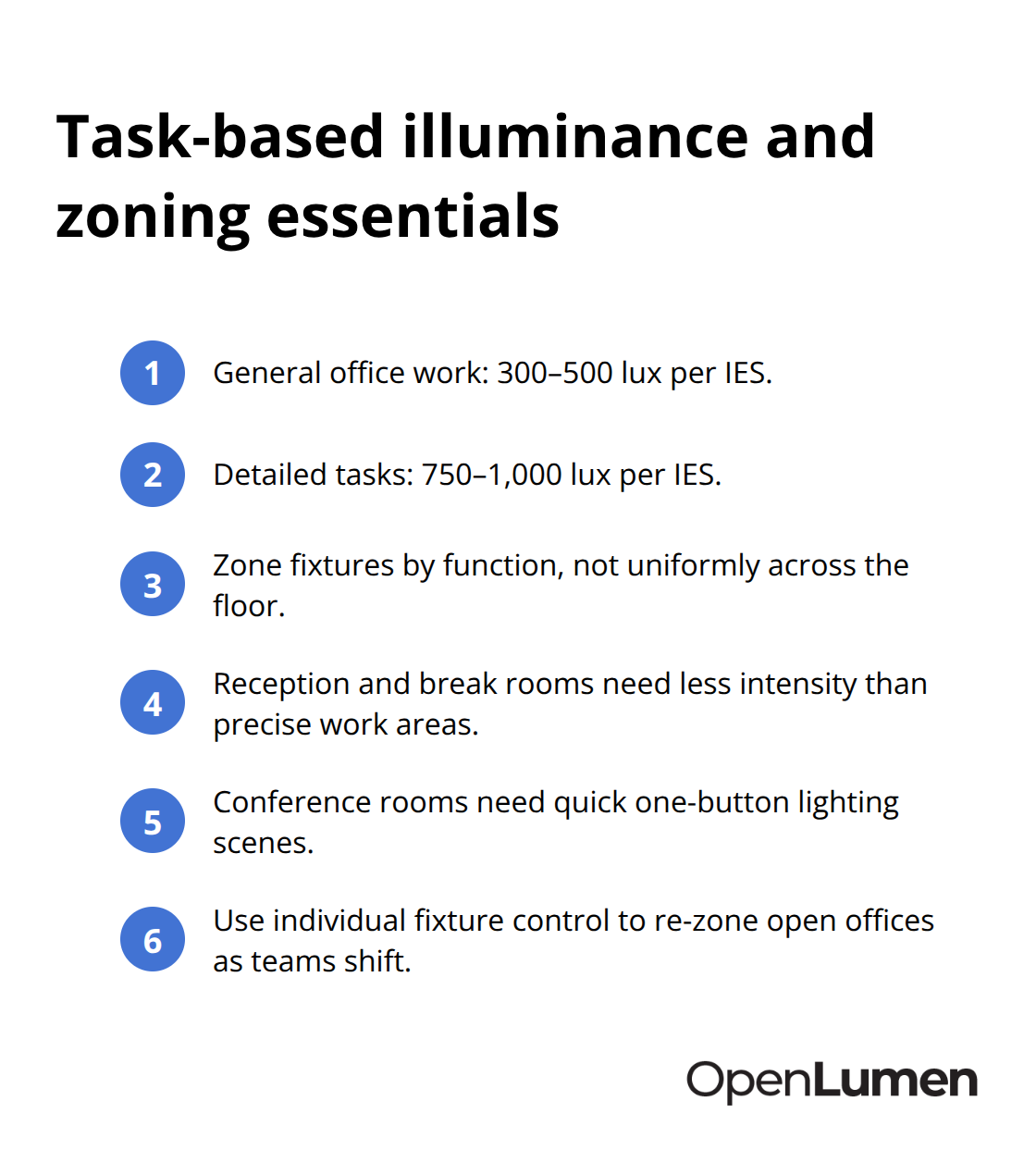
Open offices should use individual fixture control to re-zone areas as teams shift and reorganize, avoiding the trap of rigid lighting layouts that become obsolete within months.
Select Fixtures That Match Your Space Type
LED panel lights deliver uniform, glare-free ambient light via back-lit technology and work exceptionally well in open-plan offices and reception areas where you need consistent brightness without harsh spots. LED tube lights retrofit into existing T8 and T12 fixtures, making upgrades affordable and practical when you cannot replace entire ceiling systems. Recessed downlights with adjustable beam angles suit private offices and hallways, offering focused or ambient light depending on your needs. LED strip and architectural suspended lights create flexible linear lighting across long spans, reducing shadows that plague typical recessed-only layouts. Position recessed downlights roughly 1.2 to 1.5 meters apart in open offices to achieve uniform coverage without dark gaps.
Optimize Spacing and Add Task-Level Control
Task lighting at individual workstations fills the gap between ambient and accent light, preventing the eye strain that occurs when overhead light alone cannot support detailed screen work. Dimmable fixtures and color-selectable options that shift between 3000K and 5000K give you flexibility without requiring costly rewiring or multiple fixture types. According to the U.S. Department of Energy, ENERGY STAR-rated LEDs use at least 75 percent less energy than incandescent bulbs and last roughly 25 times longer, meaning your maintenance costs drop dramatically while performance stays constant.
Automate Efficiency With Smart Controls
Smart controls using occupancy sensors and daylight sensors maximize efficiency by turning off lights in unused spaces and balancing natural and artificial sources throughout the day. Start with core fixtures like panel lights and LED tubes, then layer in task lighting and smart controls to complete your layout rather than trying to solve everything at once. Once you have your fixtures and zones mapped out, the next step is identifying and avoiding the mistakes that derail most office lighting projects.
Common Office Lighting Mistakes and How to Avoid Them
Position Screens and Fixtures to Eliminate Glare
Most offices fail because they install fixtures first and ignore consequences. Glare from poorly positioned overhead lights bounces off monitors and creates the eye strain that affects 58 percent of office workers, according to the American Optometric Association. Position computer screens perpendicular to light sources and windows, not parallel, so reflections do not wash out your display. Use indirect lighting or diffusers instead of bare fixtures pointing straight down, and add task lighting at workstations so employees do not rely entirely on overhead sources. The real mistake is treating glare as inevitable rather than preventable-it is not.
Right-Size Your Lighting System to Match Task Demands
Many facilities underssize their lighting systems to cut costs upfront, then watch productivity collapse when employees cannot see properly. The Illuminating Engineering Society recommends 300 to 500 lux for general work and 750 to 1,000 lux for detailed tasks like design or accounting, yet offices often install systems that deliver 200 lux or less in workstations. Employees lean closer to screens, strain their eyes, and lose focus by afternoon. Undersizing your system is one of the fastest ways to tank productivity and employee satisfaction.
Maintain Consistent Color Temperature Across Zones
Mismatched color temperatures across zones compound lighting problems. When reception areas sit at 3,000K while workstations use 5,000K, your brain never settles into a consistent state of alertness, creating low-level fatigue that employees feel throughout the day but cannot quite name. Establish a color temperature strategy upfront-cooler light (5,000K to 6,500K) for task-heavy areas, warmer light (2,700K to 3,000K) for break rooms-and stick to it across your entire office.
Plan for Maintenance and Future Flexibility
LED fixtures last 25 times longer than incandescent bulbs according to the U.S. Department of Energy, yet most offices do not account for dust accumulation on panels or aging ballasts that dim performance over time. Dirty fixtures lose up to 20 percent of their output, forcing you to replace bulbs or clean lenses far sooner than planned. Worse, most layouts lock in rigid zones that become obsolete within 18 months when teams reorganize or add open seating. Smart controls with individual fixture management let you re-zone areas without rewiring, but only if you planned for that flexibility during installation.
Build Your System Incrementally Rather Than All at Once
Start with core fixtures like LED panels and tubes, then add task lighting and controls incrementally rather than trying to nail every detail before installation. This phased approach saves money and prevents the common trap of over-engineered systems that employees cannot adjust to their actual tasks. Flexibility during the design phase pays dividends when your office layout shifts.
Final Thoughts
Your office lighting layout succeeds or fails based on validation before installation, not after. Walk through your space with a light meter and measure actual illuminance levels at workstations, meeting areas, and circulation zones to confirm they match the Illuminating Engineering Society recommendations of 300–500 lux for general work and 750–1,000 lux for detailed tasks. Check color temperature consistency across zones and position a test monitor to spot glare from your proposed fixture placement.
Start your implementation with core fixtures like LED panels and tubes rather than attempting a complete smart system from day one. This phased approach lets you validate what works in your actual space before committing to controls and automation. Once your ambient and task lighting performs well, layer in occupancy sensors and daylight harvesting to drive energy savings without disrupting what employees already prefer.
After validation, commit to a maintenance schedule that keeps fixtures clean and ballasts functioning (dust accumulation cuts light output by up to 20 percent, so quarterly cleaning of panels and lenses protects your investment). Finally, build flexibility into your controls so teams adjust brightness and color temperature as tasks and seasons change. OpenLumen’s free, browser-based platform handles photometric analysis and professional reporting so you can validate office lighting layouts with confidence before you buy anything.
The information provided is for general educational purposes only and should not be considered professional engineering or lighting design advice. Always verify project requirements, local codes, and specifications with qualified professionals before making final decisions.