Light spills where it shouldn’t. Glare washes out visibility. Wasted energy shoots upward into the night sky. These problems cost money and create compliance headaches.
BUG rating explained: it’s the metric that quantifies exactly how much light escapes in the wrong directions. At OpenLumen, we’ve seen how understanding these three simple measurements transforms project approvals and cuts waste. This guide shows you what the numbers mean and how to use them.
What BUG Rating Actually Measures
BUG stands for Backlight, Uplight, and Glare-three directional components that the Illuminating Engineering Society and the International Dark-Sky Association developed to classify where light from outdoor fixtures actually goes. Unlike older cutoff systems that only addressed upward light pollution, BUG captures unwanted light in all directions. Backlight measures light escaping behind and below the fixture across three zones: low (0–30 degrees), mid (30–60 degrees), and high (60–80 degrees). Uplight tracks light directed above the horizontal plane, split into low (90–100 degrees) and high (100–180 degrees) zones. Glare focuses on light at high angles that creates visibility problems and discomfort, measured in forward and backward subzones. Each component receives a rating from 0 to 5 based on how many lumens escape in those zones. A B2 U0 G1 rating, for example, means moderate backlight, zero uplight, and minimal glare.
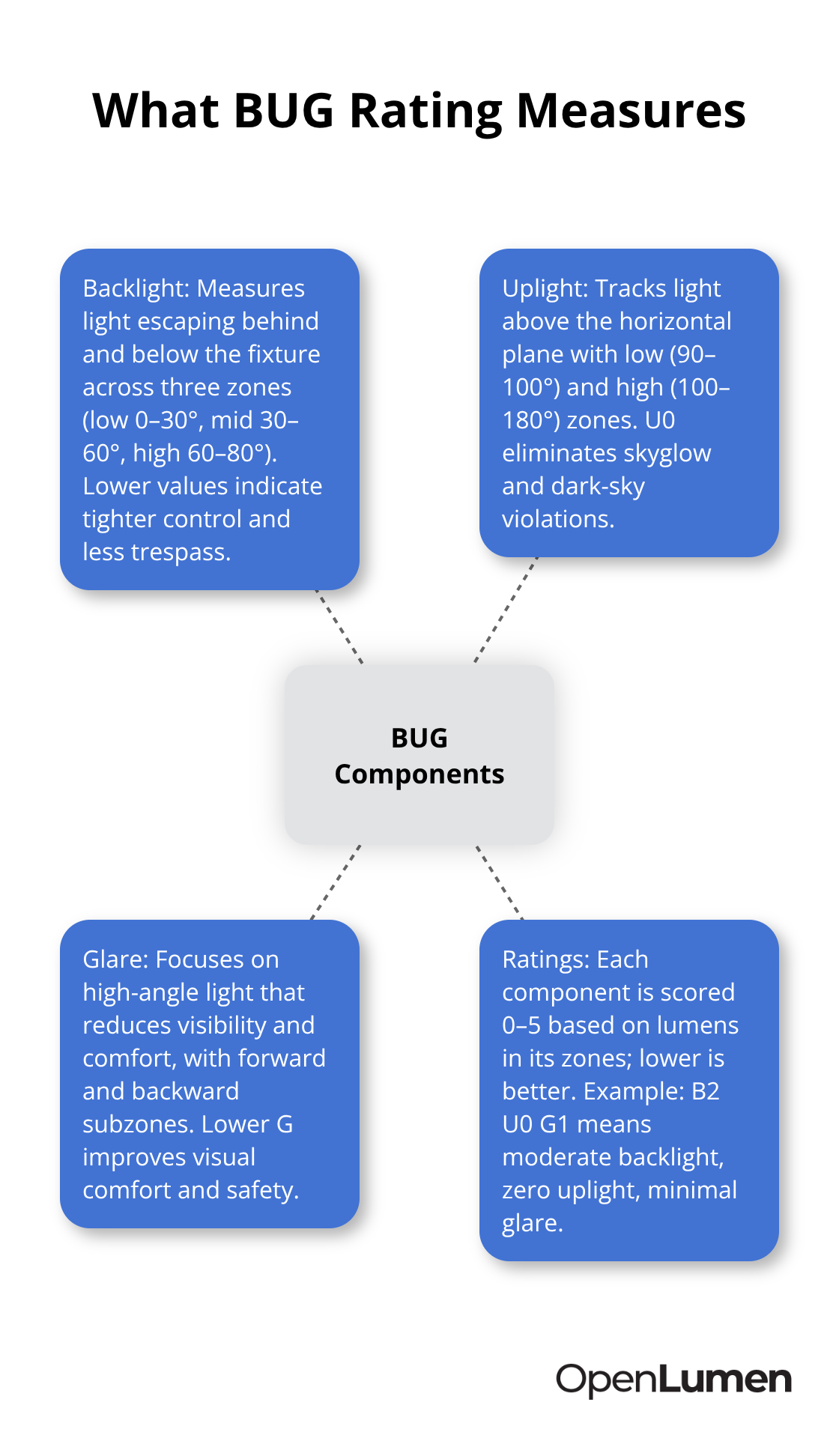
The system is straightforward: lower numbers mean less stray light and better control.
Why Local Codes Now Require BUG
Most jurisdictions have adopted Lighting Zone requirements that cap allowable BUG values for specific areas. A residential neighborhood might enforce a maximum B1 U0 G1, while a commercial district allows B3 U1 G2. If your fixture exceeds these limits, the project fails inspection. Designers waste weeks redesigning layouts when they select high-BUG fixtures that don’t meet local ordinances. Checking your jurisdiction’s Lighting Zone limits before fixture selection saves time and prevents costly revisions. Many municipalities now tie BUG compliance directly to permit approval, making it non-negotiable rather than optional.
How BUG Ratings Cut Energy Waste and Complaints
Uplight directly correlates with wasted energy-light shoots skyward and generates zero illumination on the ground while costing money every night. Selecting U0 or U1 fixtures reduces operating costs while eliminating dark-sky violations. Backlight causes light trespass onto neighboring properties, which triggers resident complaints and potential legal disputes. Glare reduces visibility and creates safety hazards for pedestrians and drivers. Contractors who specify low-BUG fixtures experience fewer change orders, faster approvals, and happier clients. Sites that switched to B1 U0 G1 configurations report lower energy consumption and zero neighbor complaints within months.
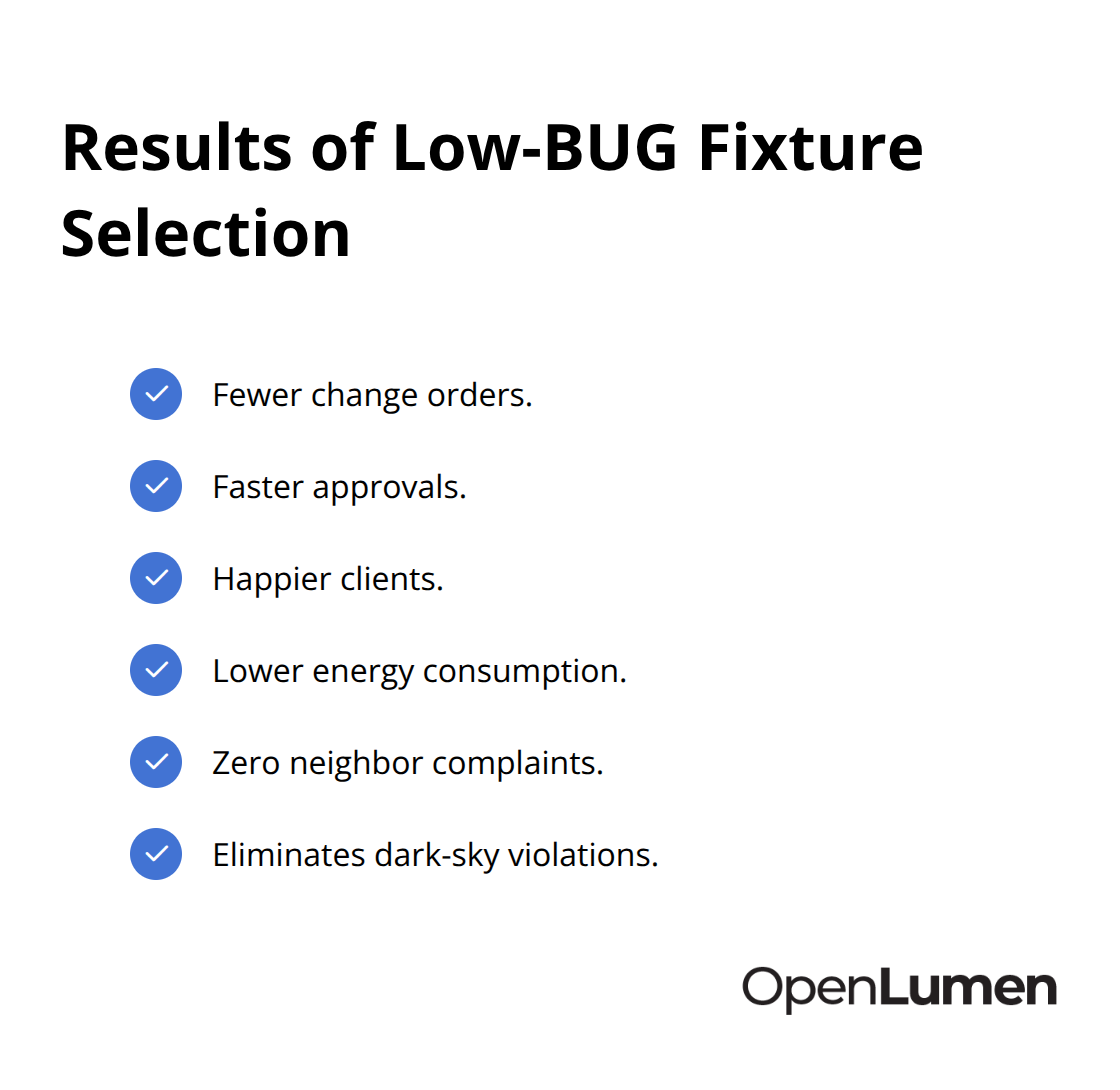
The numbers matter because they translate directly to compliance, cost savings, and project reputation.
Reading BUG Data in Product Specifications
Manufacturers publish BUG ratings on product data sheets alongside photometric information. You’ll see the rating formatted as three numbers: B, U, and G (for example, B2 U0 G1). The highest subzone value within each category determines the overall rating for that component. A fixture with backlight zones measuring BH 136 lumens, BM 930 lumens, and BL 985 lumens yields a B2 rating because the highest subzone falls into the B2 threshold. Understanding this structure helps you compare fixtures quickly and select the right luminaire for your Lighting Zone requirements without requesting detailed photometric analysis for every candidate.
Matching BUG Ratings to Project Requirements
Your Lighting Zone determines which BUG ratings work for your project. Dark-sky areas and residential zones demand low ratings (typically B0–B1, U0, G0–G1), while commercial and industrial sites tolerate higher values. Near property lines, prefer fixtures with low B ratings to minimize trespass; for streetscapes needing sidewalk illumination, higher B values may be appropriate. Use U0 or very low uplight for dark-sky-compliant projects to minimize skyglow. The trade-off between performance and control matters: a high G rating can project light farther but increases glare and reduces visual comfort, while a lower G rating reduces glare but affects spacing and reach. Selecting the right BUG rating upfront prevents redesigns and accelerates permit approval.
How to Read BUG Ratings and Match Them to Your Project
Backlight, uplight, and glare each receive independent ratings from 0 to 5, and manufacturers print these three values on every product data sheet. The format is straightforward: B2 U0 G1 means a backlight rating of 2, uplight of 0, and glare of 1. Each number reflects the highest lumen output measured in any subzone within that category.
Understanding the Three Zones Behind Every Rating
For backlight, the IES defines three zones: low covers 0 to 30 degrees, mid covers 30 to 60 degrees, and high covers 60 to 80 degrees behind the fixture. If a luminaire emits 136 lumens in the high zone, 930 in the mid zone, and 985 in the low zone, the backlight rating becomes B2 because 930 and 985 lumens both cross into the B2 threshold while 136 stays in B1. Uplight splits into two zones: low at 90 to 100 degrees and high at 100 to 180 degrees. A U0 rating means zero lumens escape in both zones, making it ideal for dark-sky projects. Glare combines forward and backward zones at high angles (60 to 90 degrees), with higher values indicating more light at uncomfortable viewing angles.
Why Wattage Tells You Nothing About Performance
You cannot compare fixtures by wattage alone-a 100-watt LED with poor optics might have a B3 U2 G3 rating while a 150-watt fixture with precision optics delivers B1 U0 G1. Always pull the actual BUG numbers from the spec sheet and match them against your local Lighting Zone maximum values before making a selection. The numbers reveal what the fixture actually does on site, not what it consumes in power.
What High Ratings Cost You in Real Terms
A B3 rating means light escapes significantly behind the fixture, creating trespass onto neighboring properties that triggers complaints within weeks. A U2 rating wastes energy shooting skyward instead of illuminating the ground, adding unnecessary operating costs month after month. A G2 rating creates glare that reduces visibility for pedestrians and drivers, increasing accident risk and liability exposure. Conversely, selecting B1 U0 G1 fixtures eliminates these problems entirely.
Residential projects in dark-sky zones absolutely require U0 to pass inspection; commercial streetscapes near homes demand B1 maximums; industrial parking lots can tolerate B2 U1 G2 if the layout keeps light off adjacent properties. The Illuminating Engineering Society publishes specific Lighting Zone requirements that cap BUG values by location type, and ignoring these caps guarantees redesign requests from the permitting authority. Real contractors verify BUG ratings before quoting projects because a fixture that doesn’t meet zone requirements becomes a liability that delays approvals by months and destroys profit margins.
How Two Identical Fixtures Perform Completely Differently
Two fixtures may have identical lumen output but vastly different BUG profiles. A wall-mounted sconce rated B2 U1 G2 distributes light broadly, creating trespass and glare but covering a larger area. A shielded version of the same sconce rated B0 U0 G0 directs light downward only, eliminating trespass and glare while reducing coverage radius. The choice depends on your site constraints: if property lines are close, the shielded B0 U0 G0 wins despite needing tighter spacing. If the site is large and isolated, the B2 U1 G2 option reduces fixture count and labor costs.
Streetlights present another real comparison: a Type II distribution rated B1 U0 G1 suits residential streets and parks, while a Type IV rated B2 U1 G2 handles wider commercial thoroughfares. Parking lots typically use Type III fixtures; selecting one with B1 U1 G1 rather than B3 U2 G3 cuts energy waste, eliminates sky glow complaints, and reduces light trespass to adjacent retail or residential areas. The numbers tell you exactly what you’re buying and how it will perform on site. Photometric reports from manufacturers show zonal lumen values that feed these ratings, giving you confidence that the numbers are accurate before installation begins. With this foundation in place, the next step involves applying these ratings to real-world fixture selection and understanding how different distribution types serve different project needs.
Practical Applications of BUG in Lighting Projects
Start with Your Local Lighting Zone Limits
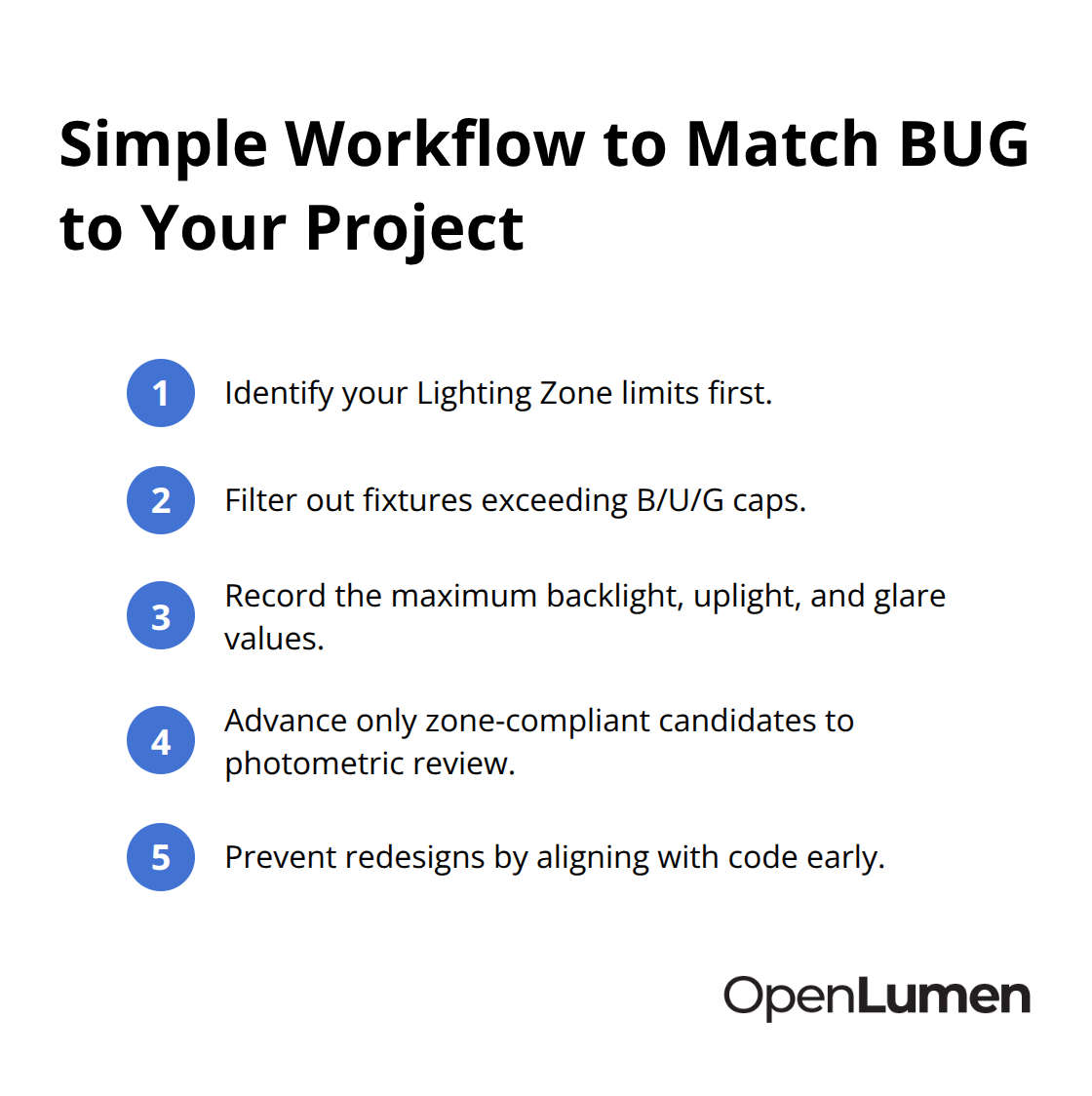
Your jurisdiction’s outdoor lighting ordinance defines the maximum allowable BUG values for your project type. Pull up these limits before evaluating any fixtures. A residential area might cap at B1 U0 G1, while a commercial streetscape allows B2 U1 G2. These numbers become your filter-any fixture exceeding these thresholds fails before you even assess performance. Write down the specific maximums for backlight, uplight, and glare that apply to your location type. This single checkpoint prevents weeks of redesign work later when permitting authorities reject fixtures that never met code requirements in the first place.
Request BUG Ratings Upfront from Manufacturers
Reputable suppliers list BUG ratings on every product data sheet. If a manufacturer cannot provide BUG data, eliminate them immediately. Cross-reference the fixture’s BUG rating against your zone limits and confirm it passes before proceeding to photometric analysis. Most contractors skip this step and waste time evaluating fixtures that never had a chance of approval. The IES publishes specific Lighting Zone requirements that define backlight, uplight, and glare maximums by location type, making this a non-negotiable checkpoint.
Verify Performance on Your Actual Site Plan
Once you’ve narrowed candidates to zone-compliant options, evaluate how each fixture handles light distribution on your site plan. A B1 U0 G1 fixture designed for 20-foot mounting heights performs differently at 15 feet, and spacing calculations shift accordingly. Manufacturer photometric reports map illuminance patterns across your property, and you should pay special attention to light spill at property lines. A fixture rated B1 might still create complaints if mounting height or angle pushes backlight toward an adjacent residence. Verify that the fixture’s actual performance matches your site geometry, not just the rating number.
Compare Fixtures Using a Simple Structured Approach
Create a comparison table that lists candidate luminaires, their BUG ratings, mounting heights, spacing requirements, and total fixture count. A B0 U0 G0 fixture might require tighter spacing and more units than a B2 U1 G2 option, but lower energy consumption and zero compliance risk often justify the additional labor. Calculate the lifecycle cost difference-tighter spacing increases installation labor but reduces operating costs and eliminates future complaint management. Dark-sky compliant projects demand U0 fixtures; ignoring this requirement guarantees redesign requests from environmental review boards or observatory proximity concerns. Commercial streetscapes near residential areas need B1 maximums to protect neighbor relations. Industrial parking lots tolerate higher ratings if layouts keep light off adjacent properties, but many facility owners now select B1 U1 G1 configurations anyway because energy savings and reduced maintenance complaints offset any coverage disadvantages.
Accelerate Approvals Through Compliant Specifications
When you specify fixtures that match local requirements from day one, permitting authorities approve projects faster and clients experience fewer surprises. Real contractors leverage BUG data to reduce change orders and accelerate approvals. The trend across municipal and corporate projects is clear: specifying lower BUG ratings upfront costs slightly more in fixture selection but saves money, time, and reputation throughout the project lifecycle. Many distributors now require BUG compliance in their product lines, making zone-appropriate fixtures easier to source than ever. This approach eliminates guesswork-you see exactly how light distributes across your property before submitting designs for review.
Final Thoughts
BUG rating explained: it’s the difference between projects that sail through permitting and those that stall for months waiting for redesigns. The three metrics-backlight, uplight, and glare-translate directly into compliance, cost savings, and client satisfaction. Contractors and designers who verify BUG ratings before selecting fixtures eliminate the guesswork that derails timelines and erodes profit margins.
Pull your jurisdiction’s outdoor lighting ordinance and write down the specific backlight, uplight, and glare maximums that apply to your location type. Request BUG ratings from manufacturers before evaluating any luminaires, then cross-reference each candidate against your zone limits and eliminate anything that exceeds those thresholds. Once you’ve narrowed to compliant options, verify performance on your actual site plan using photometric data to confirm that mounting heights, spacing, and fixture angles deliver the light distribution you need without creating trespass or glare problems.
The trend across municipal and corporate projects is unmistakable: specifying lower BUG ratings upfront costs slightly more in fixture selection but saves money, time, and reputation throughout the project lifecycle. OpenLumen streamlines this workflow by providing instant access to community-verified luminaires with published BUG ratings, photometric analysis, and professional reports-all without expensive software or steep learning curves. Quality-focused lighting decisions start with understanding what your fixtures actually do on site, and BUG ratings give you that clarity.
The information provided is for general educational purposes only and should not be considered professional engineering or lighting design advice. Always verify project requirements, local codes, and specifications with qualified professionals before making final decisions.